

OpenDesign — Skills, Design Systems, and Anti-Slop Guardrails Explained
A deep dive into what actually ships inside OpenDesign — composable skills, brand-grade design systems, the discovery form, the self-critique gate, and the anti-slop guardrails — and why an Apache-2.0, local-first, model-agnostic stack is more than a Claude Design re-skin. Based on Popular AI Tools' breakdown.
This guide is a deep dive into what actually ships inside OpenDesign — the skills, the design systems, and the quality machinery that most “Claude Design clone” videos skip past. It follows the breakdown Popular AI Tools gives in their walkthrough, rewritten and brought up to date with the current release. Watch the video above for the full tour, or read on for the written version.
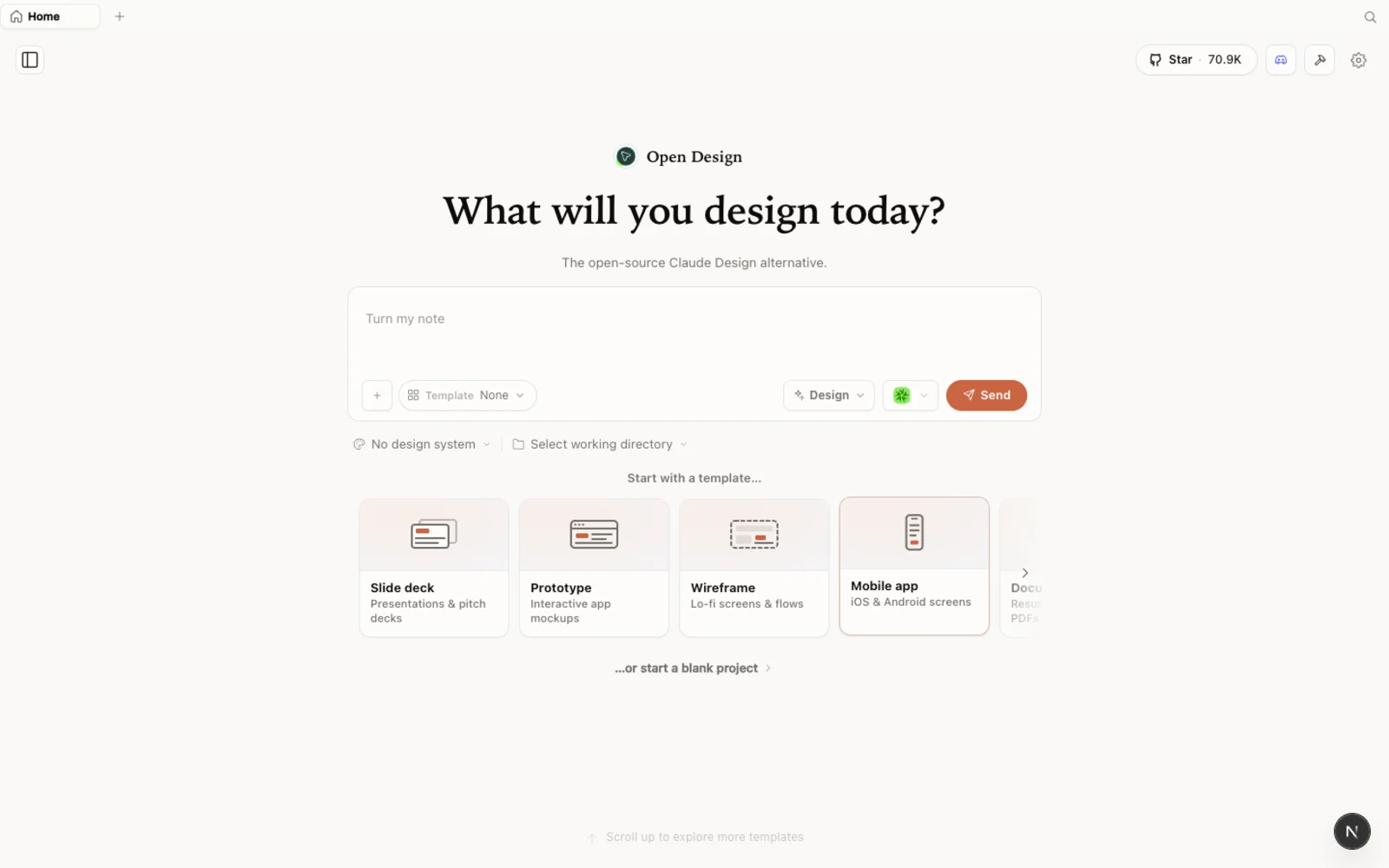 The OpenDesign workspace — prototypes, slide decks, images, and video in one calm, familiar canvas.
The core insight: the design loop is a pattern, not a moat
Popular AI Tools opens with the framing that explains why OpenDesign exists. Claude Design’s artifact-first loop — detect intent, pick a skill, generate, preview, export — isn’t magic. It’s a pattern. OpenDesign wraps that same pattern around whatever coding agent you already have installed, so the loop becomes portable: bring your own model, your own agent, your own data, zero vendor lock-in.
That single move fixes the things people pushed back on with a single-provider tool: model lock-in, cloud-only generation, a subscription on top of what you already pay for coding, and a limited set of design systems and exports.
Skills: composable, and yours to extend
The heart of OpenDesign is its skills — composable building blocks for different kinds of work. There are approach-type skills for web apps, SaaS landing pages, dashboards, mobile apps, email marketing, and social carousels, plus deck skills including a striking magazine-format presentation template.
The important part is the shape, not the count: each skill is just a SKILL.md folder you can drop in. That means you can extend the library with your own — load your copywriting guidelines, your section structures, your house UX rules — and you can also extract a skill and use it directly inside your own Codex or Claude Code session. You’re not locked to the built-ins.
Design systems: brand-grade, not generic
The design-systems library is where it gets compelling. Each preset takes a real brand — Stripe, Linear, Vercel, Airbnb, Tesla, Notion, Apple — and codifies it against a standardized schema: real brand colors, real typography, real spacing. Not a generic material-design fallback.
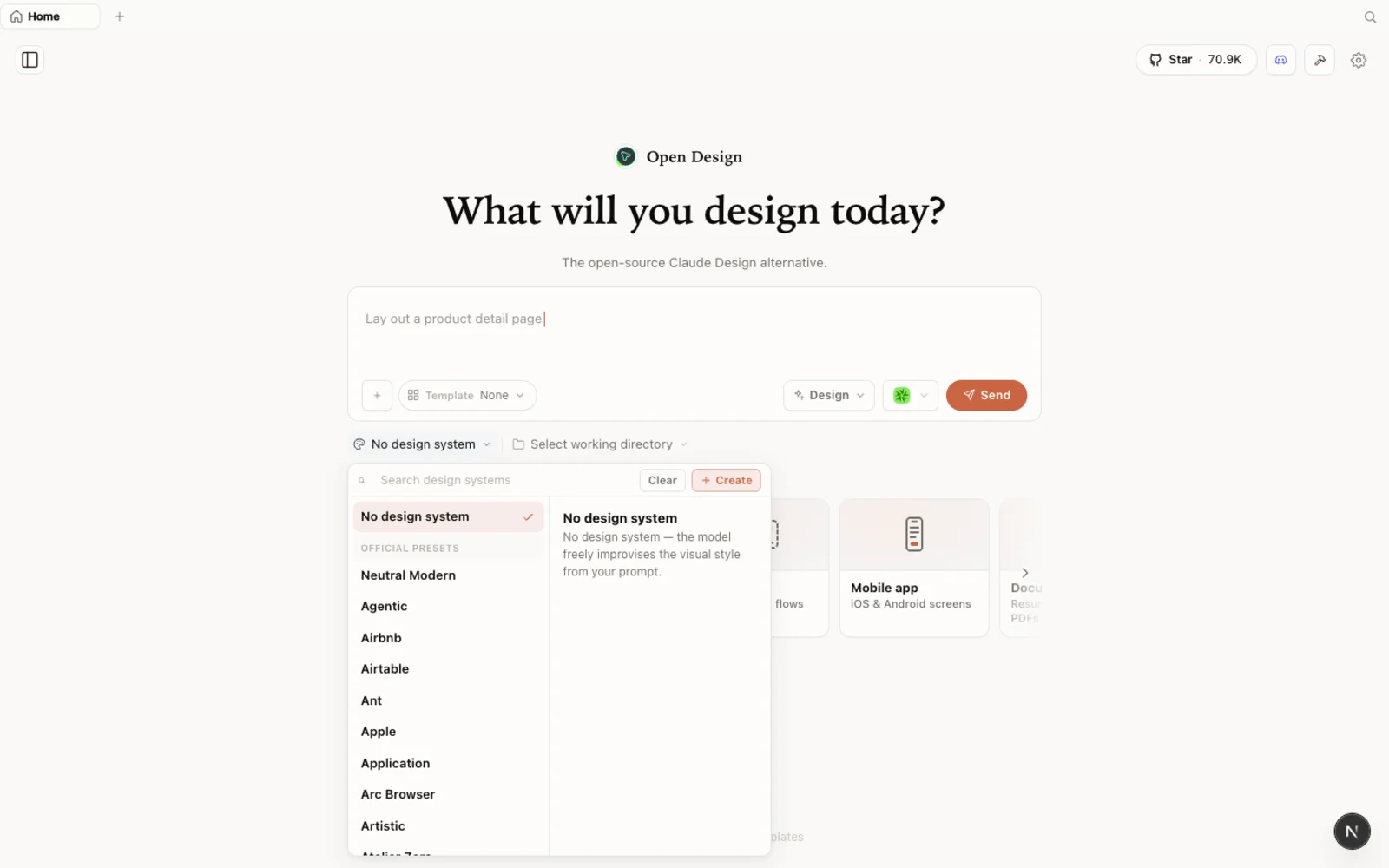 The design-systems library: each entry breaks a real brand down into palette, typography, components, and visual atmosphere you can reuse.
You can browse the full plugin library on the web at open-design.ai/plugins to see the current set of skills and design systems before you install anything — the catalogue grows, so treat the web library as the source of truth for what’s available right now.
The quality machinery most clones don’t have
This is what Popular AI Tools argues really separates OpenDesign from copycats — and it’s worth understanding because it’s why the output doesn’t look generated:
- A discovery form. Before it writes a line of code, OpenDesign asks about your surface, audience, tone, and brand context. That’s how you avoid the “container soup” problem of generic output.
- A self-critique gate. Artifacts get scored across dimensions like philosophy, hierarchy, detail, function, and innovation before you ever see them, with checklist enforcement that catches lazy output early.
- Anti-slop guardrails. OpenDesign explicitly avoids the tells of AI-generated work — purple gradients, generic icons, fake metrics. When it lacks real data, it uses honest placeholders instead of fabricating numbers, and it works from curated visual directions with locked palettes.
More than HTML: media and motion
It’s not only static pages. OpenDesign integrates media generation — GPT Image for posters and avatars, motion graphics through hyperframes, and video — so a design can include real generated assets. And export is broad: HTML with inline assets, PDF, PowerPoint, ZIP archives, markdown, and MP4. That’s a lot more flexibility for production work than a PDF-and-URL export.
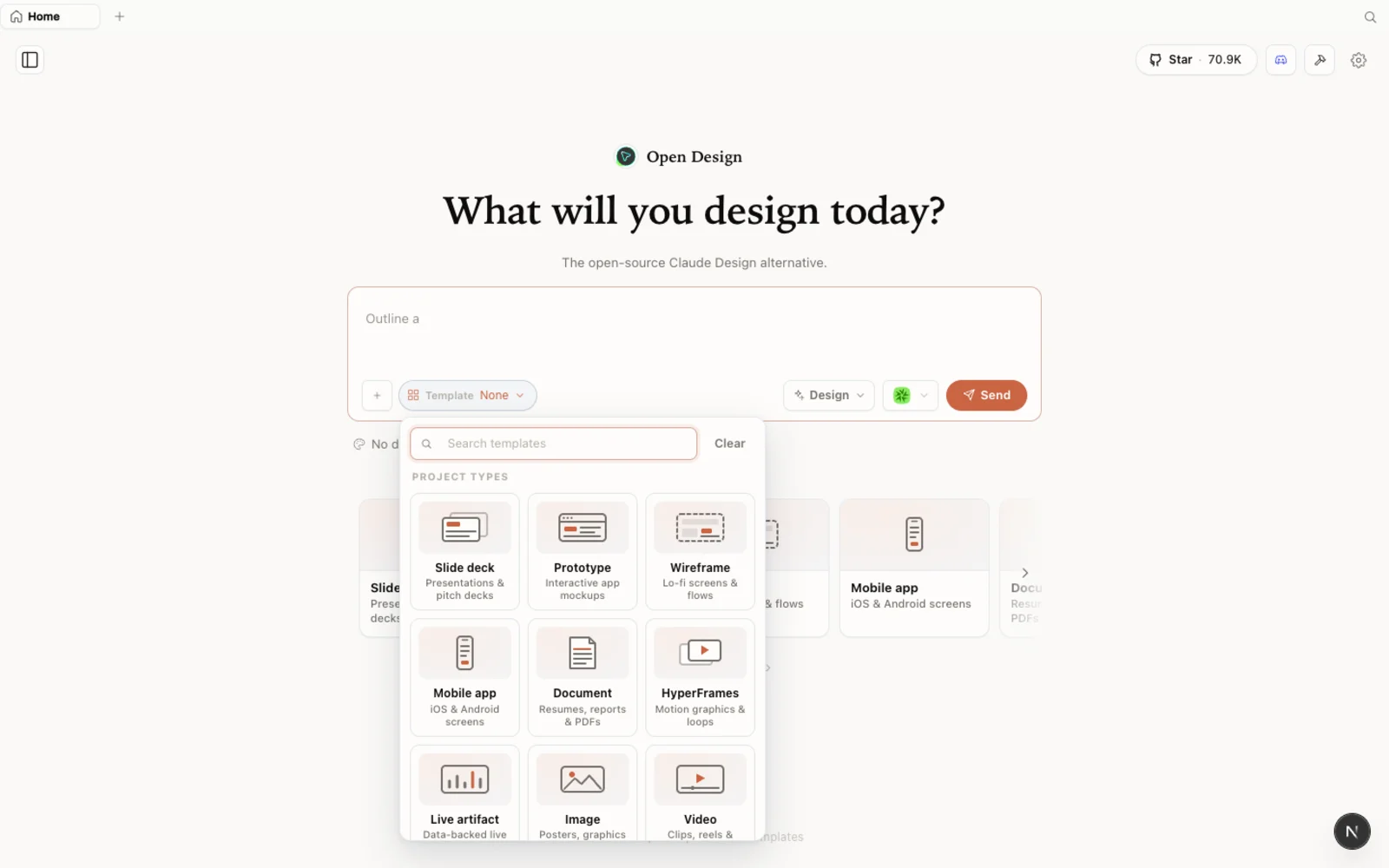 The templates library: prototype, slide, image, and video starting points you can filter by type and fork to begin.
Set it up in five minutes
You need Node ~24, pnpm, and at least one coding-agent CLI installed.
# 1. Make sure you're on Node 24 (nvm shown; skip if you already are)
nvm install 24 && nvm use 24
corepack enable           # gives you the pinned pnpm

# 2. Clone and install
git clone https://github.com/nexu-io/open-design.git
cd open-design
pnpm install

# 3. Run it
pnpm tools-dev run web
It auto-creates its local database, scans your PATH for agents, and picks one — no config files, no env vars. Open the URL it prints (a dynamic port — don’t hardcode one), pick a skill, choose a design system, type your prompt, fill out the discovery form, and watch it generate with live progress on the left and the rendered result on the right.
Prefer zero setup? The desktop app at open-design.ai/download skips Node and pnpm entirely.
Handy lifecycle commands: pnpm tools-dev status to see what’s running, and pnpm tools-dev stop to shut everything down.
Who is it for?
Popular AI Tools lands on an honest answer. If you’re a developer or technical founder already paying for a coding CLI, OpenDesign adds a full design surface for zero extra cost — your design prompts route through the same token pool. It’s also the obvious pick for client work: everything runs locally, so nothing goes through a third party’s servers, which matters for compliance-sensitive agencies.
The fair caveat: you need to be comfortable in a terminal (or use the desktop app), and it’s an early release, so expect some rough edges.
Tips
- Treat the discovery form as the most important step — the more context you give about surface, audience, and tone, the less generic the output.
- Extend the library. Drop your own
SKILL.mdfolders in, or extract a skill to reuse inside your own agent. - Start from a brand-grade design system rather than a blank canvas; it’s what makes the output look intentional.
- Use a local CLI so generation rides on a subscription you already pay for.
- Check open-design.ai/plugins for the current skills and design systems before you build.
FAQ
Are skills locked to OpenDesign?
No. Each skill is a SKILL.md folder. You can add your own, and you can extract a built-in skill to use directly inside your own Codex or Claude Code.
How many design systems are there? A large, brand-grade set that keeps growing. Rather than rely on a fixed number, check the live library at open-design.ai/plugins for the current count.
What makes the output not look AI-generated? The discovery form, the self-critique gate, and the anti-slop guardrails — OpenDesign asks for context up front, scores artifacts before showing them, and avoids the visual tells of generated work.
Is it free? The app is open source under Apache-2.0 and free to run locally. You only pay for the model and media usage of whichever agent and providers you connect.
This written guide is based on Popular AI Tools’ breakdown. Watch the full video above, and subscribe to Popular AI Tools for more AI-tool deep dives.