
The Free AI That Replaces Claude Design
OpenDesign is a free, open-source Claude Design alternative with no usage limits — build animated sites, app prototypes, and visual presentations, and connect GPT, custom APIs, or local models. Based on Maestros da IA's walkthrough.
A free, open-source alternative to Claude Design just landed, and it comes with no usage limits and no subscription. In their quick walkthrough, Maestros da IA introduces OpenDesign — an AI design tool that works with whatever model you already have access to, from GPT to a model running locally on your own machine. Here is what the video highlights, expanded with the facts that make OpenDesign worth a closer look.
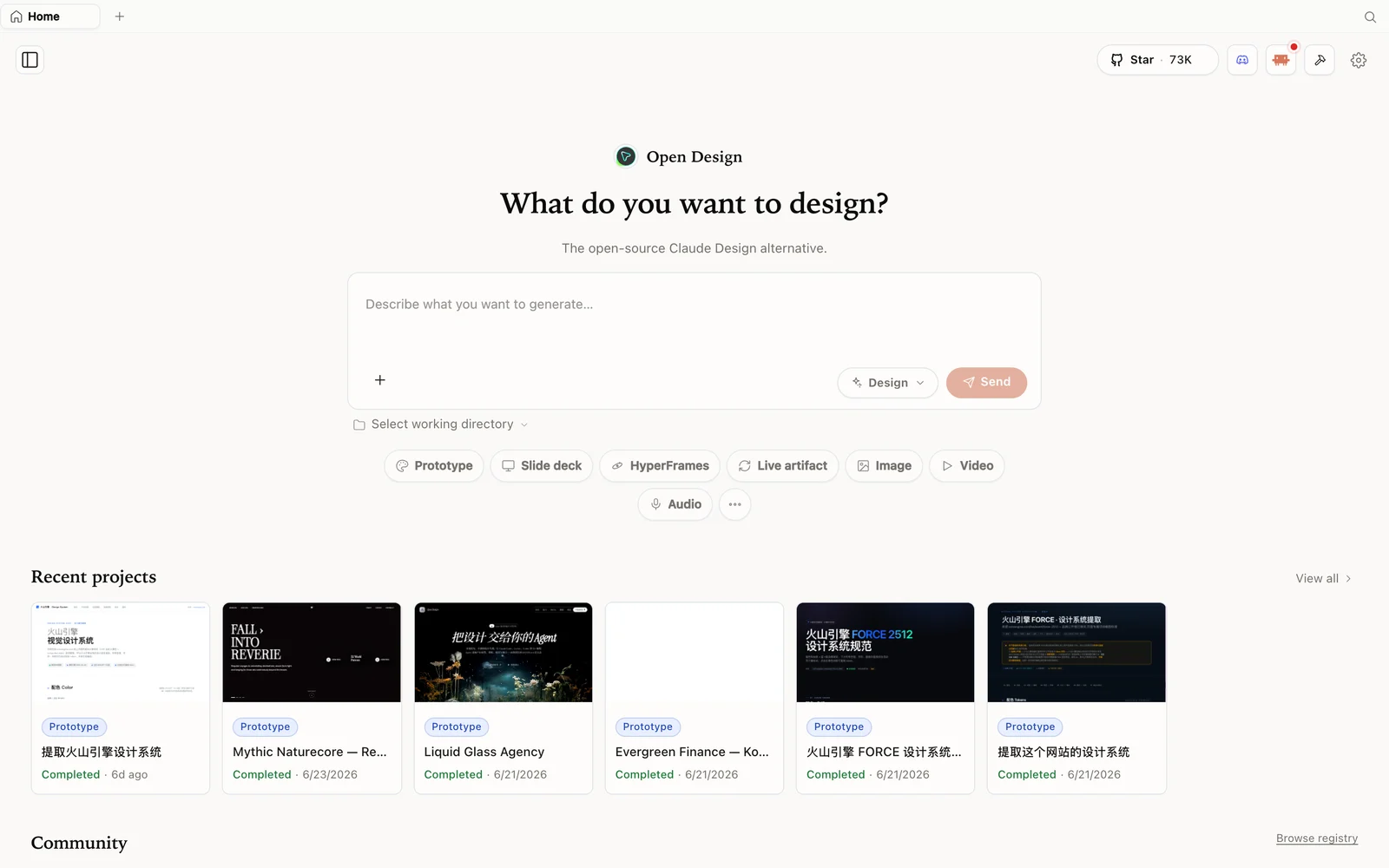 OpenDesign’s workspace: the starting point for prototypes, slide decks, and animated sites alike.
What is OpenDesign?
OpenDesign is an open-source, agent-native design platform that positions itself as a free alternative to Claude Design — and, more broadly, to closed AI design tools in general:
- Open source, Apache-2.0 — the code is public, so you can inspect it, self-host it, or contribute to it.
- No usage limits — because you run it yourself and bring your own model access, there is no vendor metering your prompts or capping your monthly output.
- Bring your own agent or model — connect GPT, wire in a custom API, or run a model locally on your own hardware. OpenDesign does not lock you into a single provider.
- More than prototypes — the same workspace produces animated sites, app prototypes, and visual presentations, not just static mockups.
Free and open, without a subscription
The core pitch Maestros da IA leads with is straightforward: OpenDesign is completely free to use and fully open source. There is no paywall gating features and no usage cap throttling how much you can generate in a session. Because the project publishes its source under Apache-2.0, anyone can clone it, read exactly what it does, and run it without paying a subscription fee — the only cost you take on is whatever you spend on the AI provider you choose to connect.
Animated sites, not just static screens
Where a lot of AI design tools stop at a flat mockup, OpenDesign’s output includes animated sites — motion and interaction built into the generated result rather than added afterward. That matters if your final deliverable is a live web page rather than a picture of one: you get something closer to a shippable artifact from the first generation.
App prototypes you can iterate on
The same workspace generates app prototypes — interactive flows you can refine and adjust rather than a single static frame. As with most AI-generated design work, the first pass will not always be perfect; the point is that you keep refining the prompt and the result in place, rather than starting a new tool for every revision.
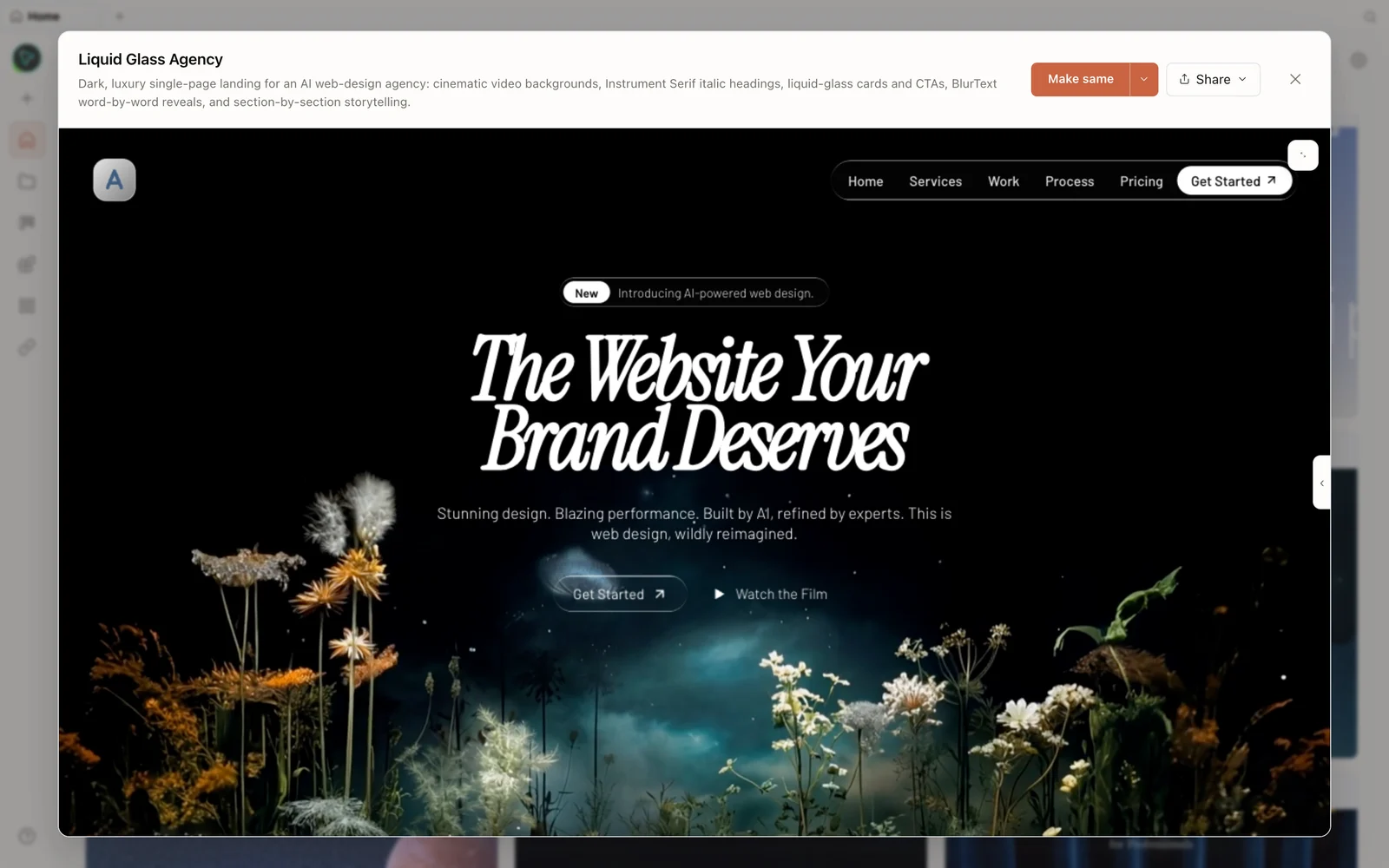 A generated prototype rendered in OpenDesign’s canvas — one of the outputs the workspace can produce alongside sites and decks.
Visual presentations and slide decks
Beyond prototypes and sites, OpenDesign also generates visual presentations — slide decks built the same way as everything else in the workspace: describe what you need, let the AI produce a first draft, then refine it. That makes it a single tool for design work that would otherwise require switching between a prototyping app and separate presentation software.
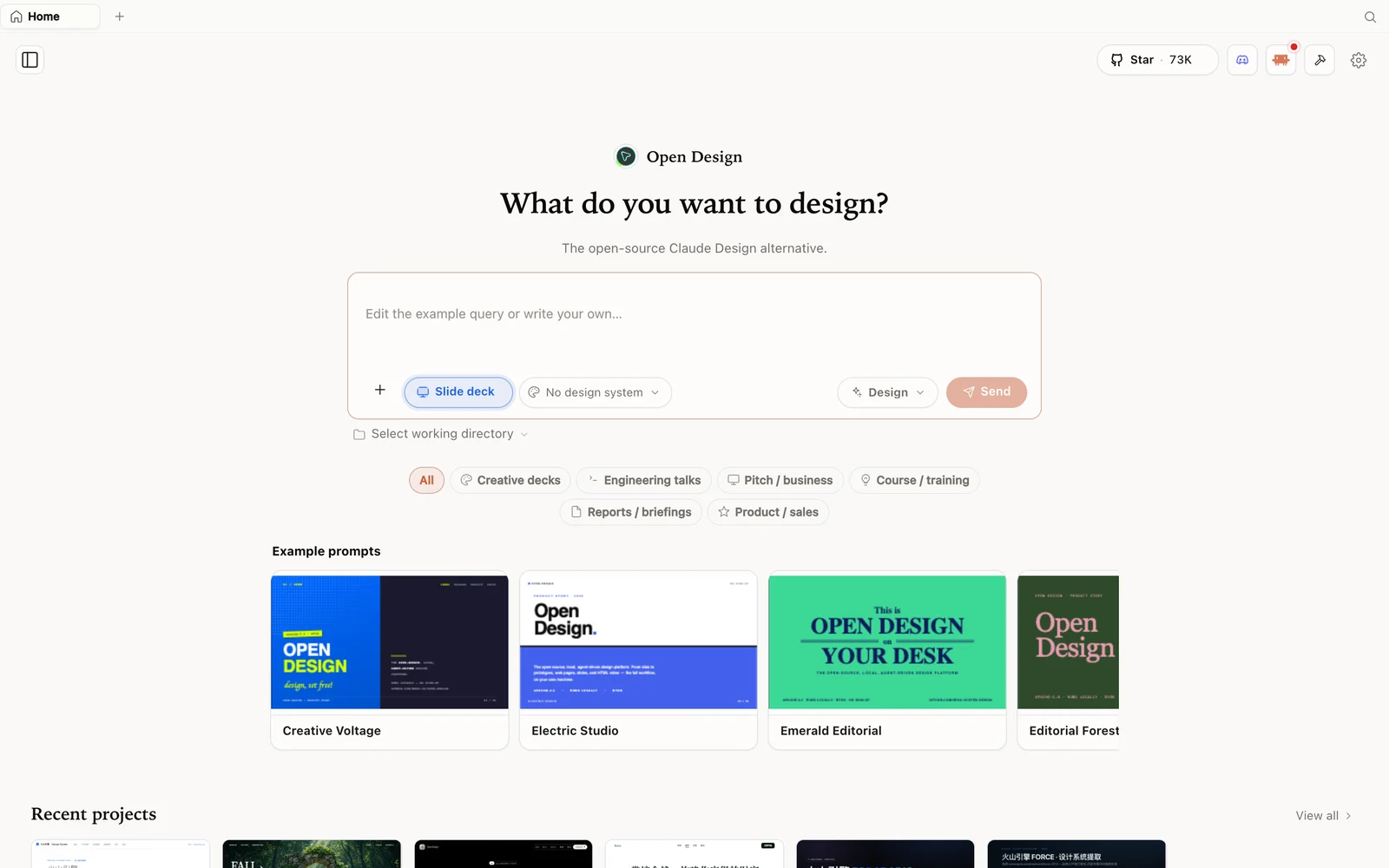 The slide deck creator: one more output format inside the same OpenDesign workspace.
Connect any model — GPT, a custom API, or local
The detail that separates OpenDesign from most closed AI design tools is model flexibility. You are not stuck with a single, fixed model chosen by the vendor:
- Connect GPT for generation if that is the provider you already use.
- Use a custom API to point OpenDesign at whichever AI backend you have access to.
- Run a model locally on your own computer, without depending on a paid, remote server at all.
That flexibility is also what makes the “no usage limits” claim credible — usage limits on typical AI design tools exist because the vendor is paying for inference on the back end. When you bring your own model or run one locally, there is no meter to hit.
FAQ
Is OpenDesign really free? Yes. It is open source under Apache-2.0, so running it does not require a subscription. If you connect a paid provider like GPT, you cover that provider’s usage cost yourself — OpenDesign itself does not charge for the software or cap what you generate.
Do I need my own AI model to use it? No, but you have the option. OpenDesign supports connecting GPT, wiring in a custom API, or running a model locally, so you can pick whichever fits your budget and privacy needs.
What can I build with it beyond prototypes? The workspace covers app prototypes, animated sites, and visual presentations (slide decks) — a broader scope than tools that only generate static mockups.
How is this different from Claude Design? OpenDesign targets the same kind of AI-assisted design work but is open source, free of usage limits, and not tied to one model provider — you choose the AI backend instead of the tool choosing it for you.
This written guide is based on Maestros da IA’s video overview. Watch the full video above, and subscribe to Maestros da IA for more AI and automation content.