
Free Claude Design Alternative? Testing OpenDesign AI
A WordPress developer live-tests OpenDesign as a free, open-source Claude Design alternative — building brand guidelines and classroom quest tiles by plugging in his own coding-agent subscription. Based on Dan Davies's hands-on stream.
This is a real, unscripted test of OpenDesign by someone who builds and manages websites for a living but does not consider himself a designer. Dan Davies loved Claude Design when it launched, then ran headfirst into its low usage limits — so he went looking for an open-source alternative he could point at his own AI subscription. Watch the full session in his live walkthrough, or read the written version below.
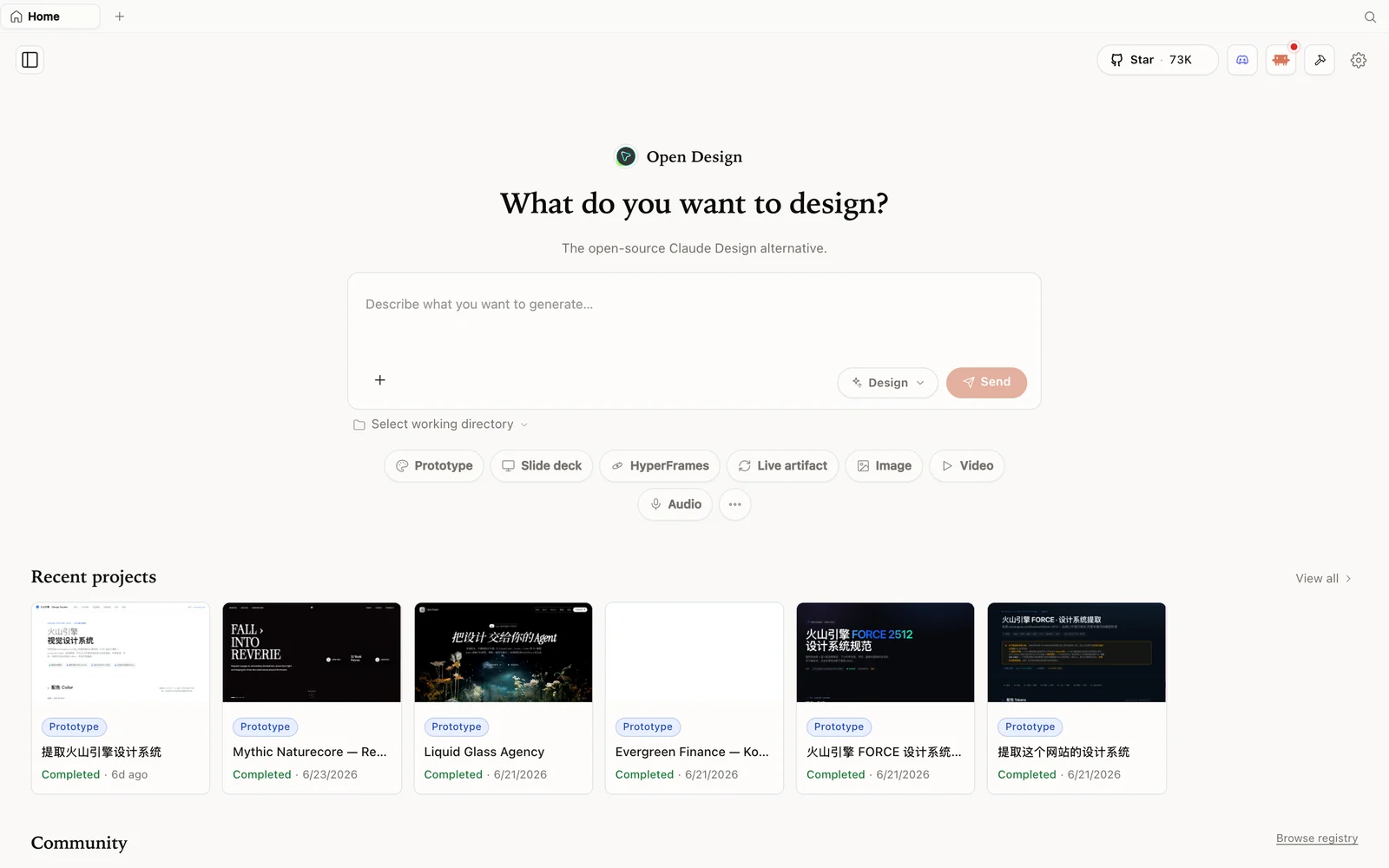 The OpenDesign workspace: describe what you want, pick a mode, and let the coding agent you already pay for do the work.
What is OpenDesign?
OpenDesign is an open-source, local-first design platform — an agent-native alternative to Claude Design and Figma. Instead of locking you into one vendor’s model and one fixed credit pool, it runs on top of the coding agent you already use.
- Open source, Apache-2.0 — clone it, self-host it, read every line, or just download the desktop app.
- Local-first — your projects live in your own folders on your own machine, not in someone else’s cloud.
- Bring your own agent, not just your own key — plug in Claude Code, Codex, Cursor, Gemini, Copilot, OpenCode, Hermes, and more; the CLI you connect drives generation.
- More than prototypes — brand guidelines, marketing graphics, slide-style layouts, and full web designs, all from one workspace.
If you have used Claude Design, the feel is instantly familiar. As Dan puts it in the video, “it’s literally Claude Design — same layout, works the same way.” The difference is what sits underneath it, and who pays the bill.
The usage-limit problem OpenDesign solves
Dan’s story is one a lot of people will recognise. He was genuinely impressed with Claude Design at launch — he liked what he came up with — but “the usage limits were so low that it wasn’t sustainable to keep using it.” Once you get into a real project and start iterating, you hit the ceiling fast, and the tool goes quiet right when you have momentum.
That single frustration is what sent him looking, and it is the exact gap OpenDesign closes. Because OpenDesign is open source and does not resell you model access, there is no separate design-tool credit meter sitting on top of your work. You bring your own agent, and your usage is governed by whatever plan you already have with that agent — not by a limit the design tool imposes on you.
For Dan, a developer who runs a WordPress agency and a school community teaching WordPress, that changes the maths completely. Design stops being a metered luxury and becomes something he can iterate on all day.
Bring your own agent, not your own bill
This is the feature Dan keeps coming back to, and it is worth understanding clearly. OpenDesign does not ship its own model. In Settings, it detects the coding-agent CLIs already installed on your machine and lets you flip between them.
On Dan’s setup it found two: Claude Code on the command line, and Hermes agent (which he drives with a ChatGPT subscription). “You can plug in basically anything,” he notes — “not just a model, but an agent.” If you want to use your Claude subscription, you can; your Codex plan, you can; a raw API key, you can.
The distinction he draws is the important one: he deliberately avoids raw API keys, because pay-per-call credits burn real money fast on iterative design work. Pointing OpenDesign at a subscription you already pay for — Claude Code’s plan, or ChatGPT through Hermes — means you are not stacking a second bill on top. That, more than anything, is why he prefers it to a hosted design tool with its own limits.
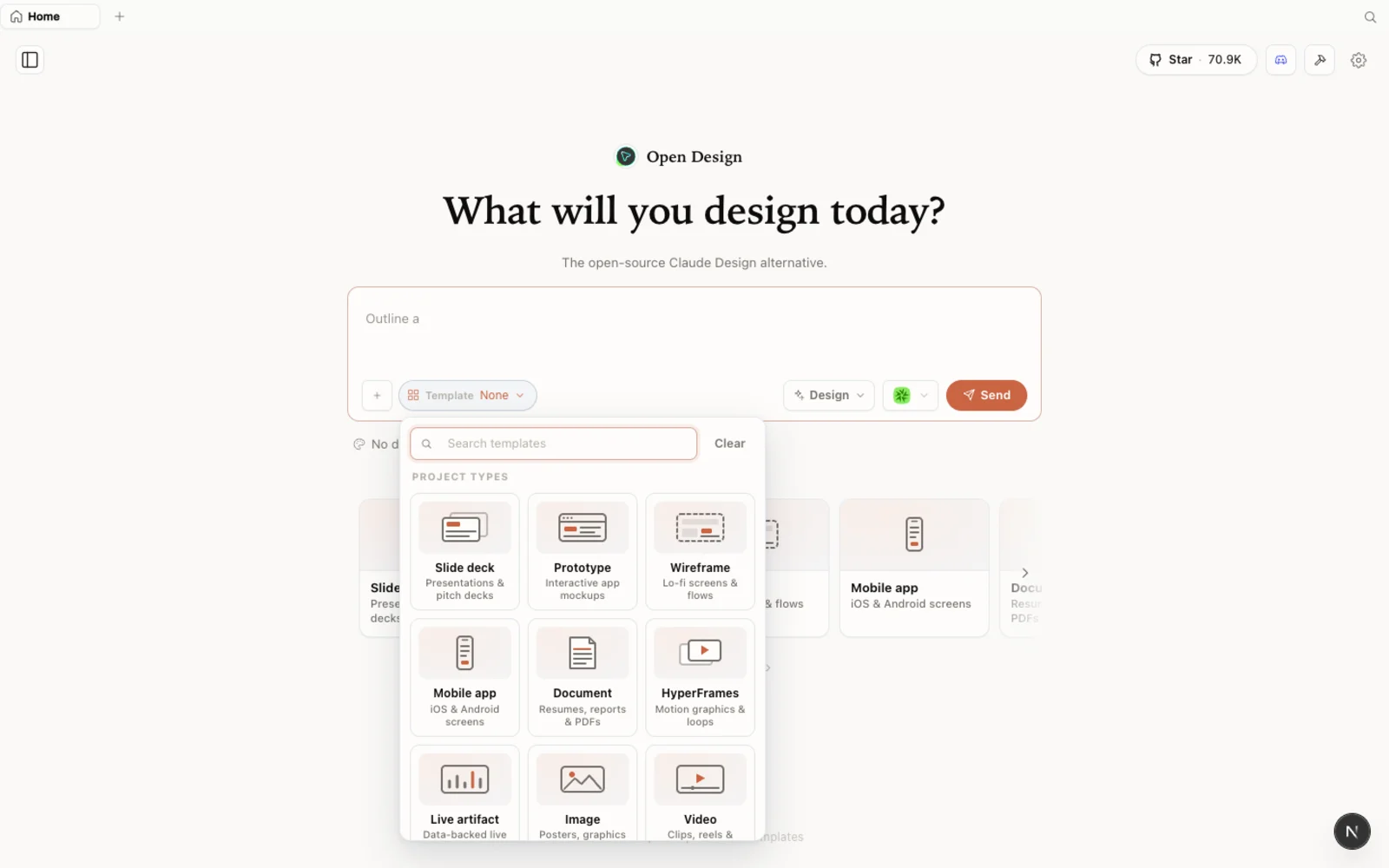 The library of templates and skills — including things like Figma migration and export to React or Next.js — so you are not starting from a blank canvas.
He also spots the extension surface early: a tutorials section that links real community videos, a plugins area full of ready-made templates that animate on hover, and skills such as Figma migration, export to React, and export to Next.js. He is clear that he has not explored the full capability yet — this is a first hands-on — but the structure is obviously there.
Test one: brand guidelines from a rough idea
Dan’s first serious task is the kind of thing that normally needs a professional designer’s time: a brand guidelines document for his WP Odyssey school community. He did not have clear documentation of his logo, icons, fonts, or colours, so he asked OpenDesign to create one.
The result impressed him. It captured the brand as a proper guidelines sheet — logo usage, the trident “identity mark” that represents the learning journey he takes students on, clear-space rules, misuse examples, a range of purples down to a near-black “ink” colour, and the font he wanted. It even introduced a purple gradient he liked more than his existing flat purple, and laid out a “path” motif for the journey through his course.
Two things stand out from how he describes it. First, OpenDesign produced structured output — not a loose pile of assets, but a presentable document with a consistent way of thinking. Second, he treated it as a living artifact: “we’ll keep working on this to improve it.” That is the intended loop — generate a strong first version from a real brand, then refine.
Not everything was perfect. An earlier, briefer test — asking it to “improve” a client’s wealth-management website with almost no brief — came back looking, in his words, like generic “AI slop.” His own read is fair and useful: with a thin prompt you get a thin result. “It’s not always the tool that’s the problem,” he says. “It’s the way you’re prompting it.”
Test two: designing the quest tiles
The centrepiece is a genuinely fiddly design problem. Dan’s community has 14 “quest” tiles arranged three-per-row, split across tiers — standard, premium, and VIP — and he wanted the purples to darken as the tier rises, a dashed “journey” line to flow across each row and line up tile-to-tile, and each tile to keep a little individual character.
He had tried this the day before with ChatGPT (via Hermes agent) and it went badly — wrong colours, broken lines, tiles that all looked identical, and at one point it drifted away from his brand spec entirely, then admitted it when challenged. So on the stream he started a clean project, switched the agent back to Claude Code, and fed it properly: his exported brand-guidelines PDF, a screenshot of the current classroom for reference, and a single sample tile so it would redesign only the tiles, not the whole page.
This time the agent asked good clarifying discovery questions — final asset sizes, aspect ratio, how the purple should darken (gradual gradient stepped by tier), how many per row — and then produced a strong first pass. Dan’s verdict was blunt: “It’s a million times better than what ChatGPT did yesterday.” The tiles used the right colours, and crucially the journey line lined up across tiles automatically — something he had braced himself to fix by hand.
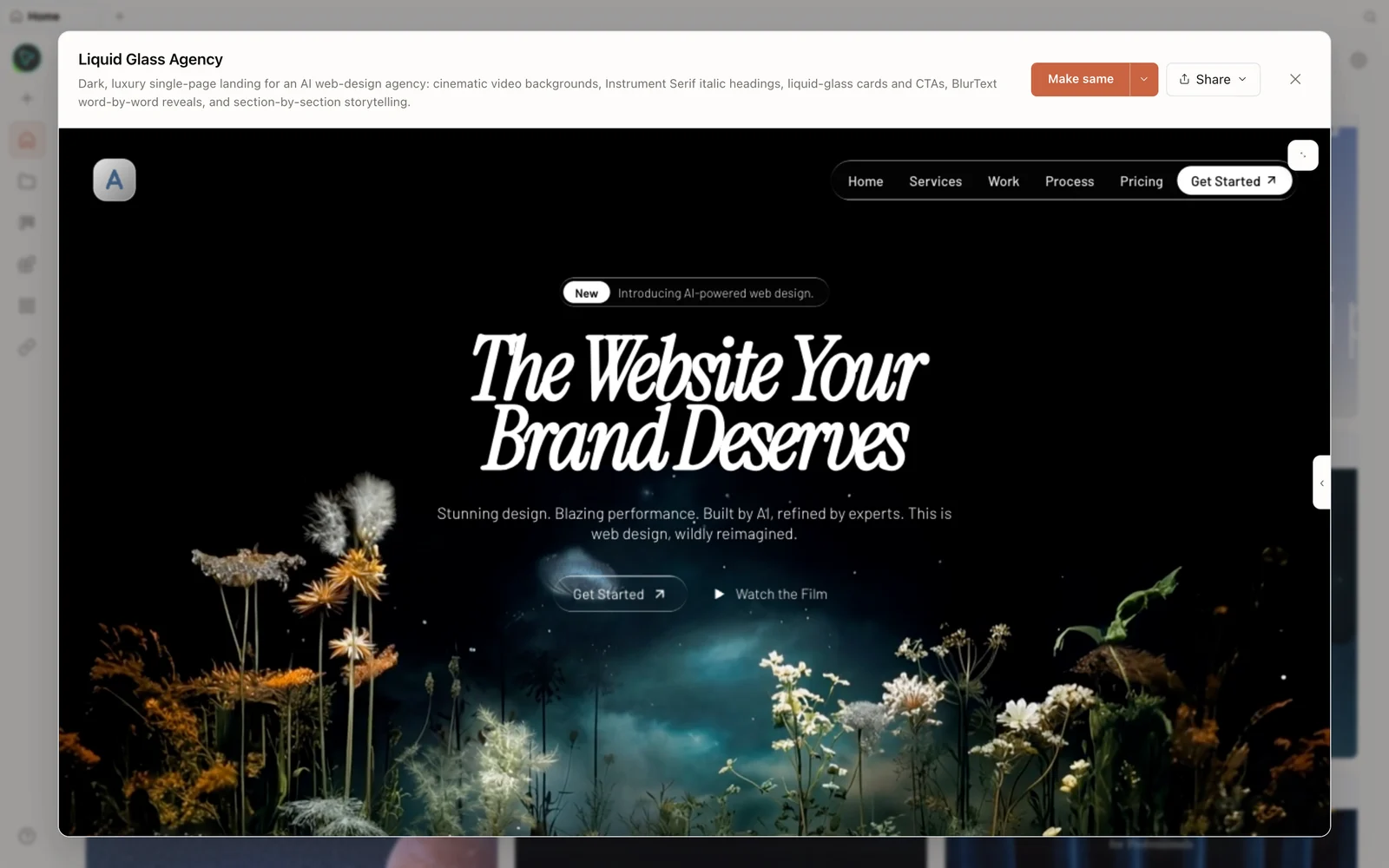 OpenDesign tends to present generated work as a real, structured artifact — here, a full rendered design in the preview — rather than a loose bundle of files.
It was not flawless — the standard-tier purples came out darker than he wanted, a logo was repeated where he would rather have variety — but those are exactly the notes you feed back in the next prompt. He also flagged one honest cost data point: generating that batch of tiles used roughly 50% of his $20 Claude plan’s usage. Design iteration is not free of model cost; it is just free of a second design-tool bill.
Why the model you plug in matters
The single clearest takeaway from Dan’s session is that output quality tracks the agent you connect. The identical task, in the same tool, went from a confused mess with one agent to a clean first draft with a stronger one. OpenDesign is the workspace and the structure; the model is the engine.
He also draws a nice comparison to plain image tools: he had tried similar tasks in a generic image generator and it “struggled,” whereas OpenDesign “seems to have a bit more structure in what it gives you.” Asked for graphics, it built a small web page to display and download them — a presentable deliverable, not just raw output.
His plan from here is telling about where the tool fits a real workflow: keep refining the tiles, then move on to building website homepages, hand the result off to VS Code from the top-right corner, and eventually generate editable WordPress templates so clients keep the benefits of a real CMS. That is the practical arc — from marketing assets to shippable sites — that an open, agent-pluggable design tool makes reachable for a technical team without a full-time designer.
FAQ
Is OpenDesign really free? The software is open source under the Apache-2.0 licence and free to run locally. You do not pay OpenDesign anything. You only pay for the usage of whichever coding agent you connect — and if you plug in a subscription you already have (like Claude Code’s plan), there is no extra design-tool bill on top.
How is it different from Claude Design? Same familiar feel, but open-source, local-first, and agent-pluggable. Instead of one hosted model with a fixed, low credit pool, you bring your own agent and your usage follows your existing plan. As Dan’s session shows, that removes the usage-limit wall that made Claude Design hard to sustain for heavy iteration.
Do I have to use an API key? No — that is the point Dan stresses most. OpenDesign detects the agent CLIs on your machine and lets you use a subscription rather than pay-per-call API credits, which he found burns money fast on iterative work.
Which agent should I connect? Whichever produces the best results for your task — output quality tracks the model. In the video the same tile-design job went from a mess with one agent to a clean first draft after switching to Claude Code, so reach for a capable agent when the result matters.
Can non-designers actually get good results? Yes, with the right inputs. Dan is a developer, not a designer, and got usable brand guidelines and classroom tiles — but his own lesson is that thin prompts give “AI slop.” Feed it a real brand spec, reference images, and clear constraints, then iterate.
This written guide is based on Dan Davies’s live test of OpenDesign. Watch the full session above, and subscribe to Dan Davies for more hands-on WordPress and AI-tooling streams.