

Design a Site That Matches Your Existing Brand With OpenDesign
A hands-on guide to the standout trick in OpenDesign — point it at your live website and the agent scrapes your fonts, colours, and tone into a brand spec, then designs in your voice. Includes the one-click desktop install and an honest take on Claude Design's usage limits. Based on Brendan O'Connell's walkthrough.
This guide focuses on a standout OpenDesign trick: point it at your existing website and the agent pulls your real brand — fonts, colours, tone — into a spec, then designs in your voice. It also covers the one-click desktop install and an honest read on why you’d reach for an open alternative. It follows the hands-on build Brendan O’Connell runs in his walkthrough, rewritten and brought up to date with the current release. Watch the video above for the live run, or read on for the written version.
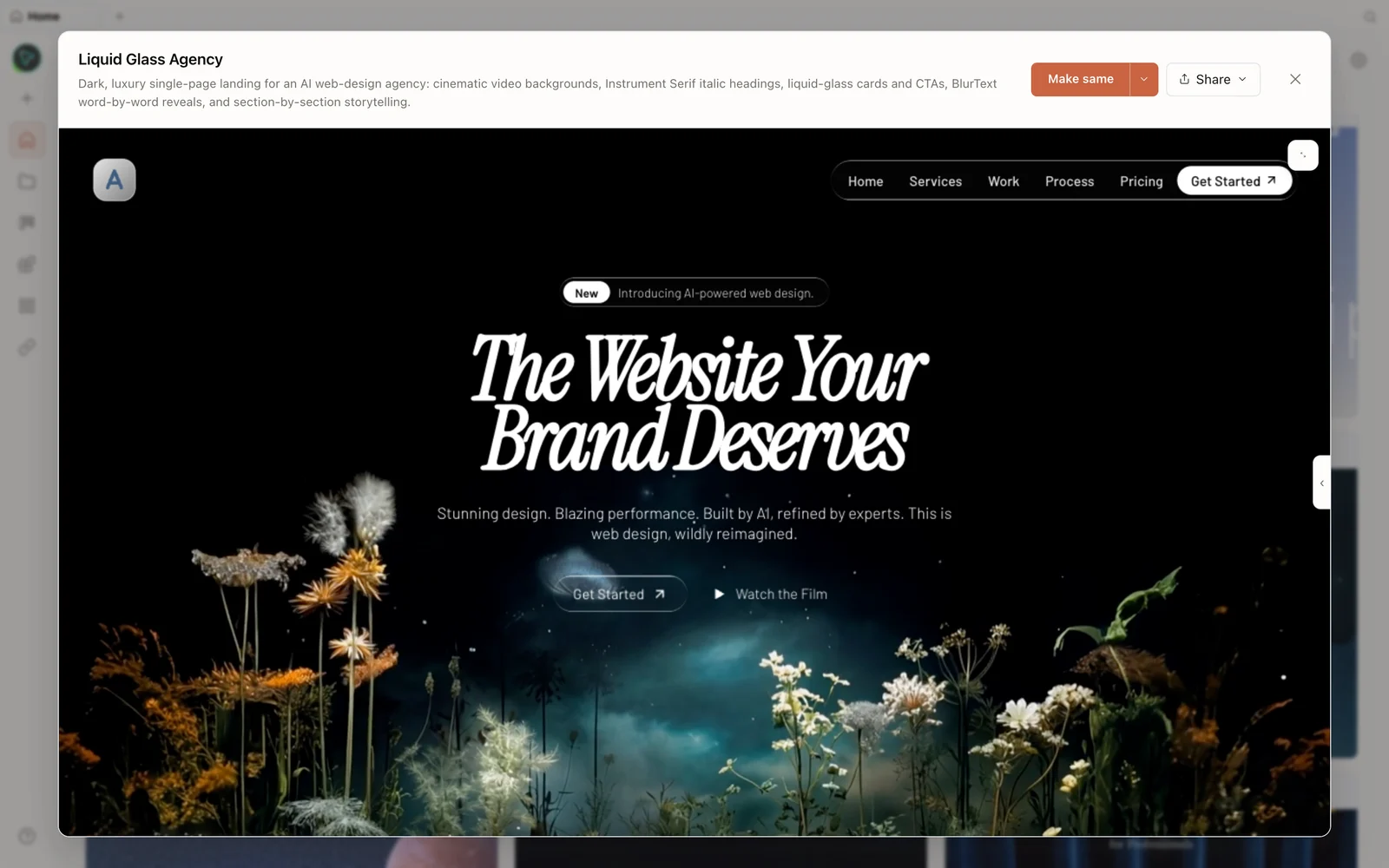 A real generated prototype rendered in the preview — a dark, cinematic agency landing page.
What is OpenDesign?
OpenDesign is an open-source, local-first design platform that runs on top of the coding agent you already use — Claude Code, Codex, Cursor, OpenCode, Qwen, and more — or your own API key. It’s essentially a Claude-Design-style workspace you run on your own machine, without being locked into one vendor’s cloud and without that tool’s usage caps. It’s Apache-2.0, ships with a deep library of skills and design systems, and adds media generation (image, video, audio) on top.
Why reach for an open alternative
Brendan’s motivation is concrete and worth repeating because it’s the deciding factor for a lot of people. He generated a single design system in the closed cloud tool and it ate ~75% of his weekly limit — leaving him stuck until the next week. That limit is separate from the normal plan allowance, which makes the workflow feel borderline unusable for real iteration. Running on your own Claude Code (or any) subscription removes that wall: you don’t hit a separate design cap, and you’re not locked into one ecosystem.
Step 1 — Install (the one-click path)
The easiest route, and the one Brendan recommends, is the desktop app: go to open-design.ai/download and grab the executable for macOS or Windows. The app is up and running in a short time and auto-detects the agent CLIs already on your machine — Brendan didn’t configure anything; it picked up his Claude Code subscription and was ready to go.
Prefer the terminal? From source:
git clone https://github.com/nexu-io/open-design.git
cd open-design
corepack enable && pnpm install
pnpm tools-dev run web
Open the local URL it prints (a dynamic port — don’t hardcode one). On the right you’ll find settings: the detected agents, plus media providers (OpenAI for image, MiniMax for video, ElevenLabs for voice), connectors (Composio MCP), and even desktop pets. You can also bring your own key for any provider.
Step 2 — Design from your existing brand
This is the trick worth the price of admission. Create a project, choose high fidelity, and in your brief tell it to design for your existing site. The agent has a web-fetch tool, so it will go and read your live website, then derive a brand spec from it.
In the video, Brendan points it at his own site and OpenDesign:
- Fetches the page and scrapes the real content.
- Writes a
brand-spec.mdcapturing his actual font (it correctly picked up Fig Tree), his colour, and his design choices — “no pill buttons, no fully rounded cards, accent colour used sparingly, generous white space” — plus his tone of voice (“no breathless marketing”). - Generates a
DESIGN.mdand builds the page in that voice, blending his existing brand with a cleaner layout.
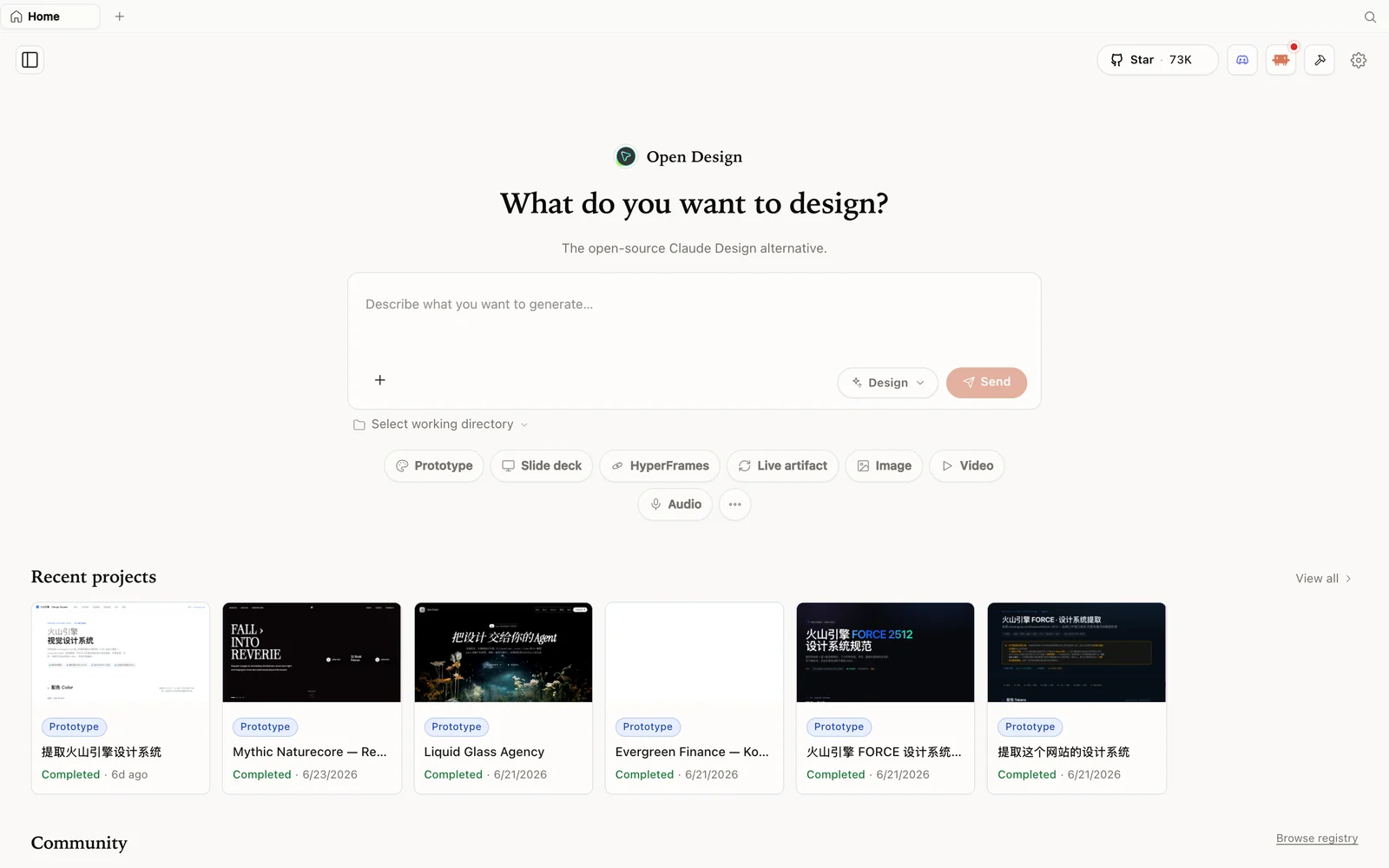 The OpenDesign workspace: describe what you want to build, pick a mode, and your agent does the rest.
Before it builds, OpenDesign runs a short discovery form (single page or a few pages? visual direction? match the current site? realistic placeholders?) so it locks the right direction. The result keeps his tagline, his blue, and his font, then layers a sharper layout on top — multi-page output you can click through.
Step 3 — Review the anti-slop self-check and export
As it finishes, OpenDesign runs an anti-slop self-check — Brendan sees it confirm “no emojis, one typeface, one decisive flourish, real positioning copy throughout.” That’s the guardrail that keeps the output from looking generated.
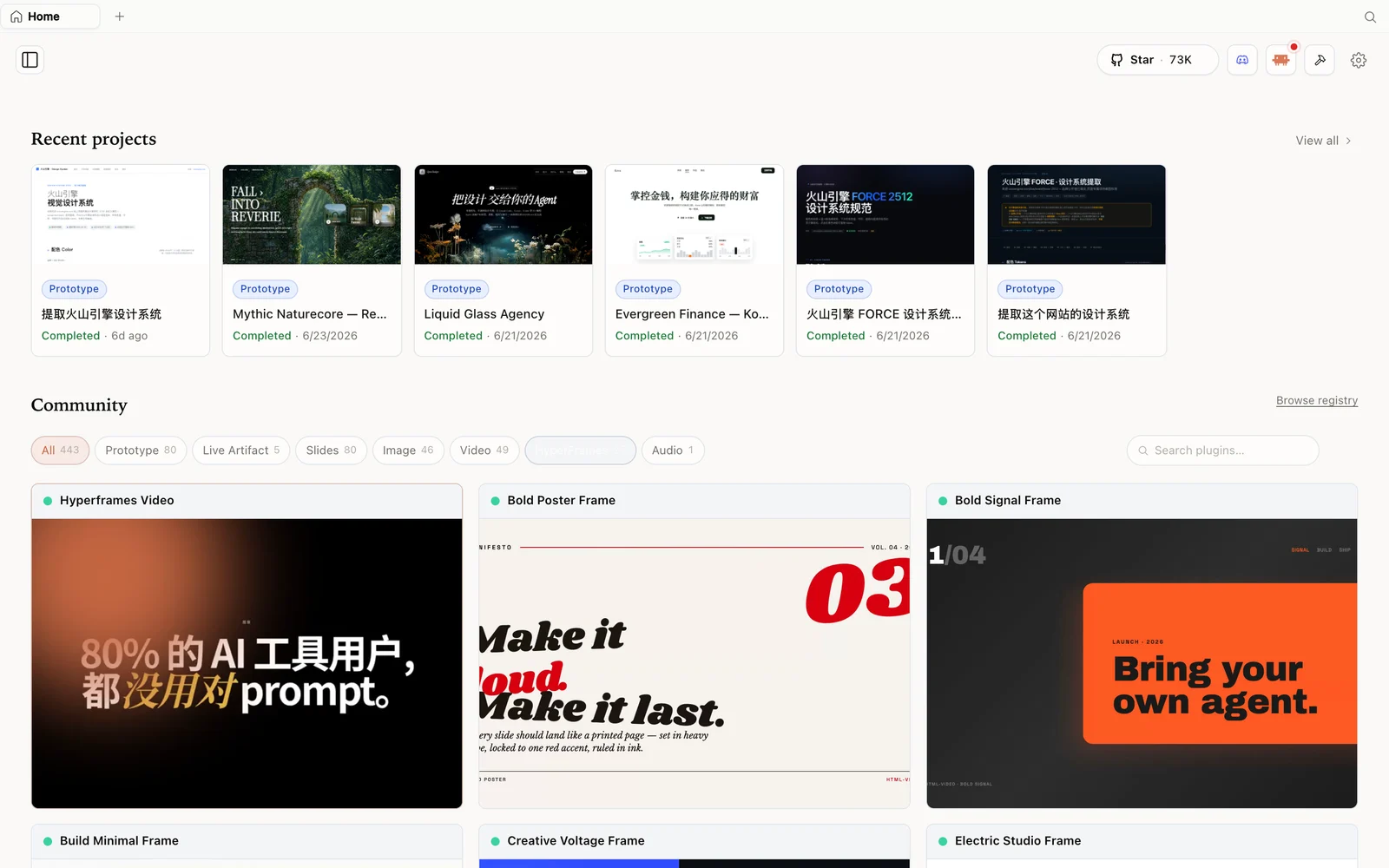 The HyperFrames gallery: code-driven motion and video pieces you can fork and remix.
Browse the examples and design systems tabs for starting points (each design system gives you a full editable DESIGN.md), and when you’re happy, export the artifact as HTML, PDF, or a ZIP. Because everything runs locally on your own agent, there’s no separate design cap to hit while you iterate.
Tips
- Point it at your live site to inherit your real fonts, colours, and tone — the fastest way to on-brand output.
- Use the desktop app for the zero-config path; it auto-detects your agent.
- Run on your own CLI subscription to dodge the separate weekly design cap of closed tools.
- Read the generated
brand-spec.md/DESIGN.md— they’re editable files, so correct anything the scrape got wrong. - Spend a little on the prompt — a richer brief produces a noticeably better first pass.
FAQ
Can it really design from my existing website?
Yes — the agent has a web-fetch tool. Tell it to design for your site and it scrapes your fonts, colours, layout choices, and tone into a brand-spec.md, then designs in that voice.
Do I have to configure my agent? Usually not. The desktop app auto-detects the supported agent CLIs already installed (Claude Code, Codex, OpenCode, and more). You can also bring your own key.
Does it have the usage limits of the closed tool? No separate design cap — generation rides on whatever agent/subscription you connect, so you’re not blocked after one design.
Is it free? The app is open source under Apache-2.0 and free to run locally. You only pay for the model and media usage of whichever agent and providers you connect.
This written guide is based on Brendan O’Connell’s walkthrough. Watch the full video above, and subscribe to Brendan O’Connell for more open-source tool breakdowns.