
Install OpenDesign — FREE AI Design Tool (Claude Design Alternative)
Based on AI Unlocked's install walkthrough, this guide sets up OpenDesign in four fast steps — download the free desktop app, connect the coding agent CLI you already have as its design engine, keep the default model, and lock down privacy settings. No paid subscription required.
This guide installs OpenDesign without paying for a hosted subscription — it turns the coding agent CLI you already have into the app’s design engine. It follows the four-step walkthrough AI Unlocked runs in their install video, rewritten here so you can follow along click by click. Watch the video above for the full run, or read on for the written version.
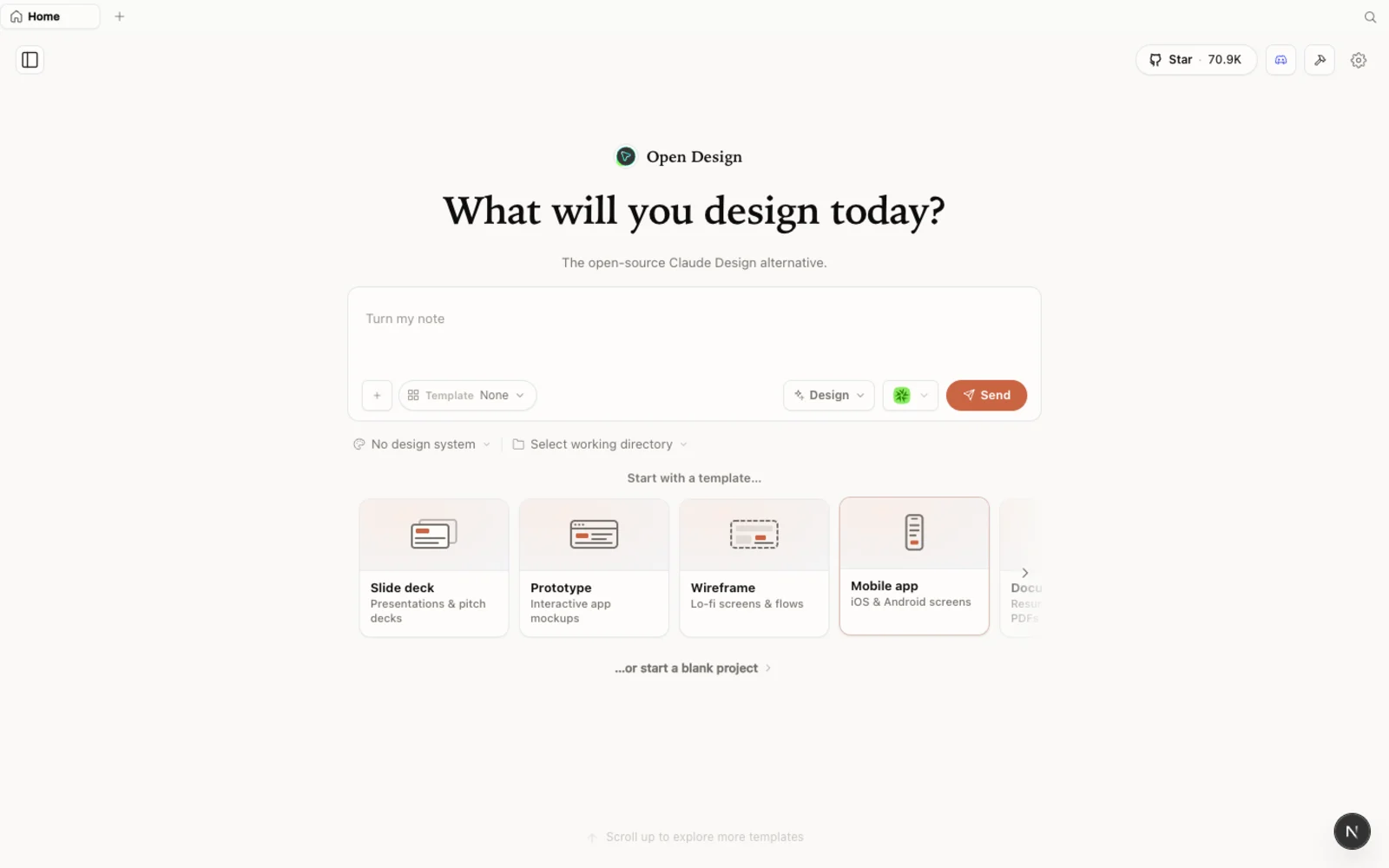 OpenDesign’s workspace once it’s installed and connected to a local coding agent — no cloud subscription required.
What is OpenDesign?
- Open source, Apache-2.0 — inspect it, self-host it, or just download the packaged app.
- Local-first — the app and your projects run on your own machine.
- Bring your own agent, bring your own key — it runs on the coding agent CLI (and model) you already have installed instead of selling you a separate AI subscription.
- More than prototypes — beyond UI mockups, the same workspace also builds slide decks, image generation, and video, all from one place.
Step 1 — Download the app
Head to OpenDesign’s GitHub page and open the Releases section, or go straight to open-design.ai for a direct download link. Grab the build for your machine — on an Apple silicon Mac that’s the macOS arm64 build. Download the file, open it, and drag the OpenDesign icon into your Applications folder. It installs like any other desktop app; there’s no compiling and no terminal required for this path.
Step 2 — Connect your coding agent
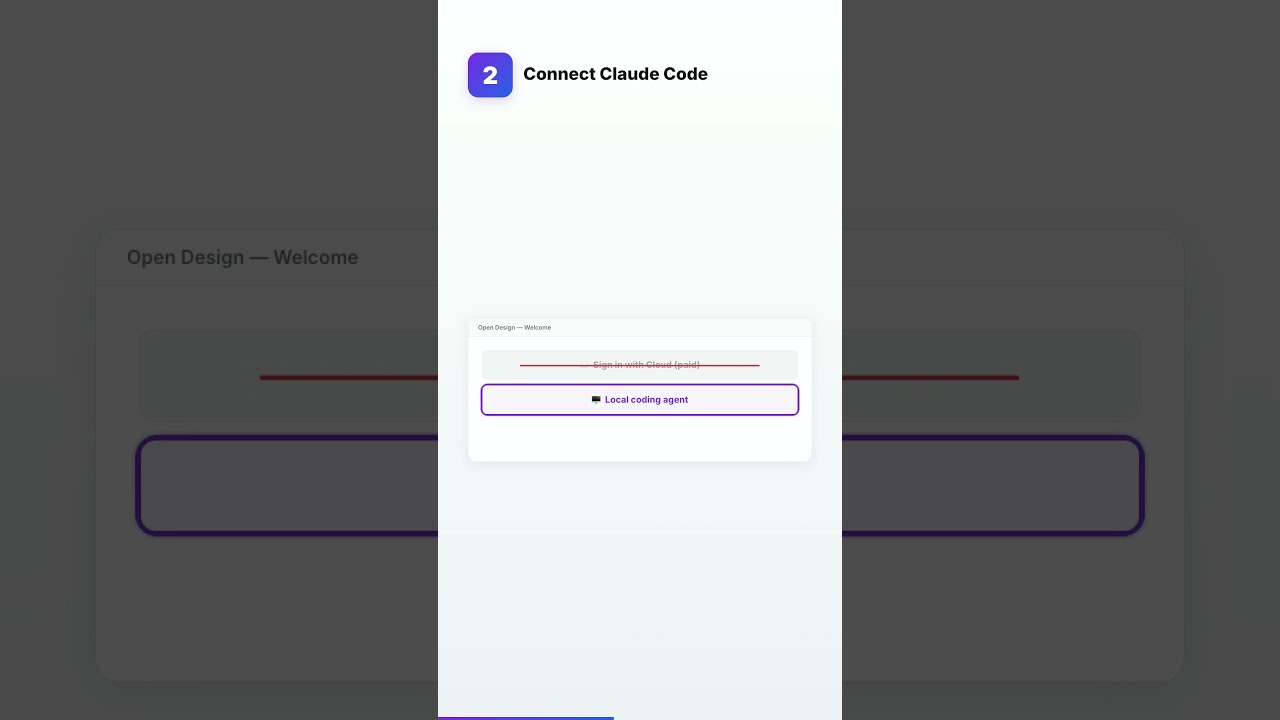
Open the app. On the sign-in screen, skip the paid cloud button and click the smaller link underneath it instead — local coding agent. OpenDesign scans your machine for the CLIs you already have installed, such as Claude Code, Codex, or Cursor. Pick the one you want to drive design generation and hit continue. That connects the engine without paying for anything extra — you’re reusing the agent access you already have.
Step 3 — Pick your model
In the model box, leave the setting on default CLI config. That tells OpenDesign to inherit whatever model your connected coding agent is currently configured to use — typically its latest one — instead of picking one of the older models listed in the dropdown, which are just fallback options.
Step 4 — Lock down your privacy
Go to Settings → Privacy. You’ll see two switches turned on by default, and one of them shares your actual project data outside the app. Turn both off, then click delete my data to clear anything already collected. OpenDesign keeps working exactly the same after this — the toggles only control what leaves your machine, not what the app can do.
Explore the workspace
Once you’re connected, two libraries make the blank canvas disappear:
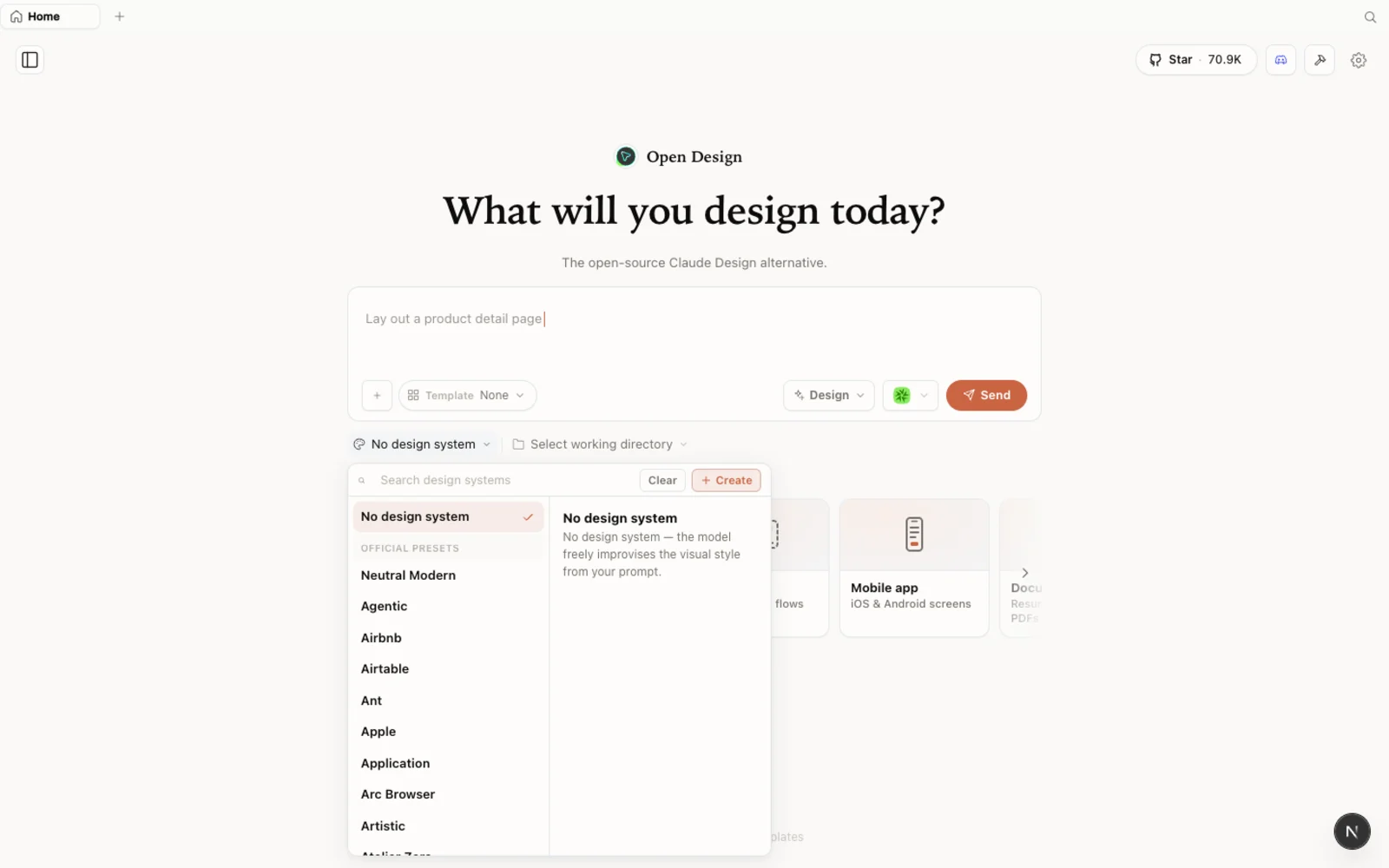 The design-systems library — pick a real brand’s tokens, colors, and type instead of starting from a blank palette.
- Design systems package a brand’s look as a set of tokens — colors, type, spacing — that you can build straight on top of.
- Templates cover prototypes, slide decks, and image and video generation, so you can fork a starting point instead of an empty screen.
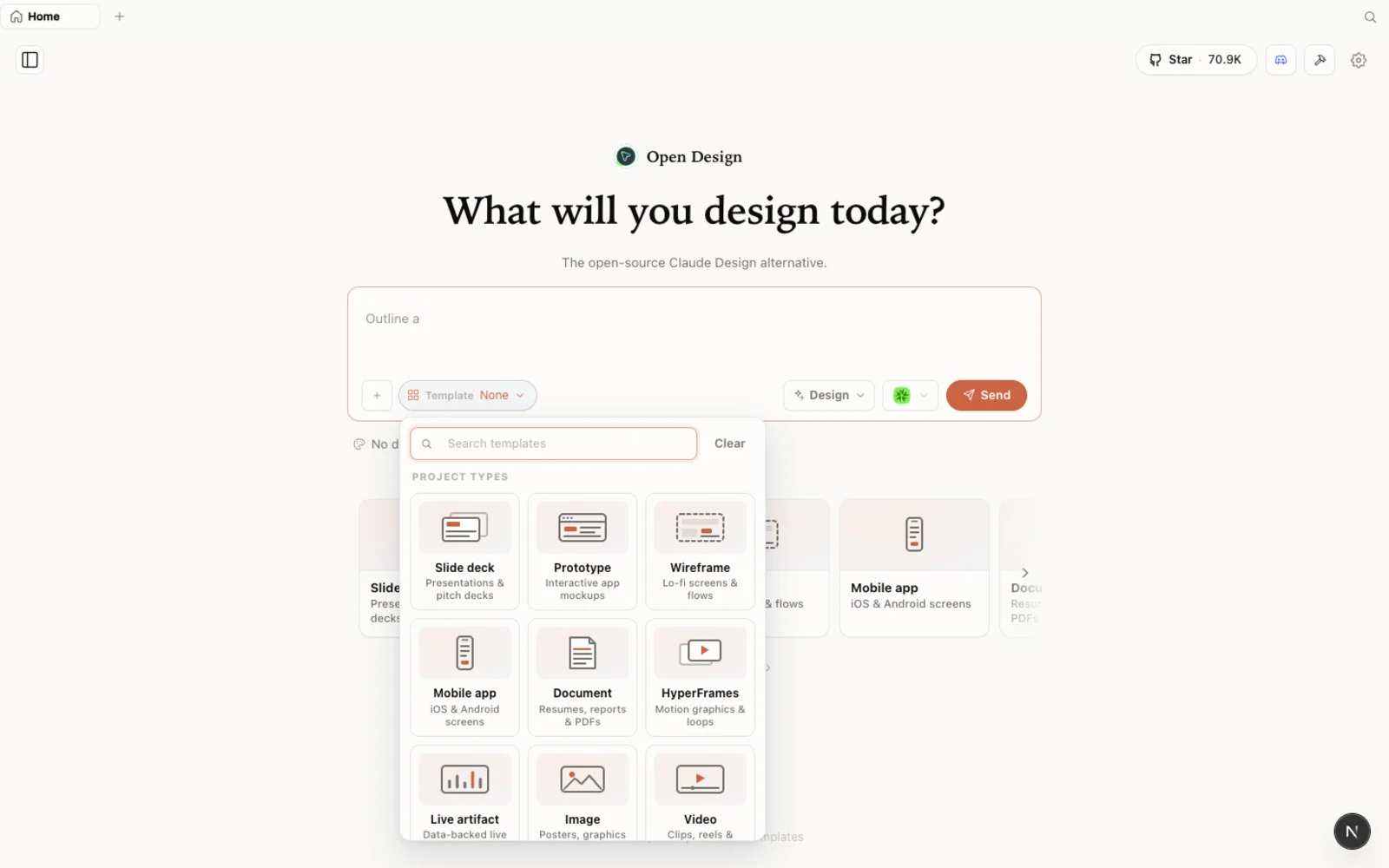 The templates library — prototype, slide, image, and video starting points, ready to fork.
From here, describe what you want to build and let your connected agent generate the first version.
FAQ
Is OpenDesign free? Yes — it’s open source under the Apache-2.0 license and free to run locally. You only pay for the usage of whichever coding agent and model you connect, which you likely already have.
Do I need to buy Claude Design or another paid design tool to use this? No. OpenDesign runs on top of a coding agent CLI you already have, such as Claude Code, so there’s no separate design subscription to buy.
Which coding agents can I connect? This walkthrough detects Claude Code, Codex, and Cursor, but OpenDesign supports a much longer list of coding agent CLIs — whichever ones are already installed on your machine will show up.
Why does it ask about privacy settings during setup? Two data-sharing toggles are on by default, and one of them sends your actual work outside the app. Turning them off in Settings → Privacy keeps everything local without disabling any features.
What model should I choose? Leave it on default CLI config so OpenDesign uses whatever model your connected coding agent is already running — that’s normally the most capable option available to you.
This written guide is based on AI Unlocked’s install walkthrough. Watch the full video above, and subscribe to AI Unlocked for a new free AI tool every day.