

OpenDesign — Turn the Agent You Already Have Into a Design Engine
A practical guide to the part of OpenDesign most tutorials skip — choosing and swapping the model behind it. Your coding agent is the engine; the model you point it at is the quality knob. Codedigipt's recording wires up Gemini CLI or Claude; current releases replace the retired direct Gemini runtime with Google Gemini through BYOK. Based on Codedigipt's hands-on walkthrough.
This guide focuses on the part of OpenDesign most walkthroughs gloss over: the engine. OpenDesign itself is the design surface — the real generation is done by whatever coding agent and model you point it at, and that choice is the single biggest lever on output quality. It follows the setup Codedigipt runs in his hands-on walkthrough, rewritten and brought up to date with the current release. Watch the video above for the live run, or read on for the written version.
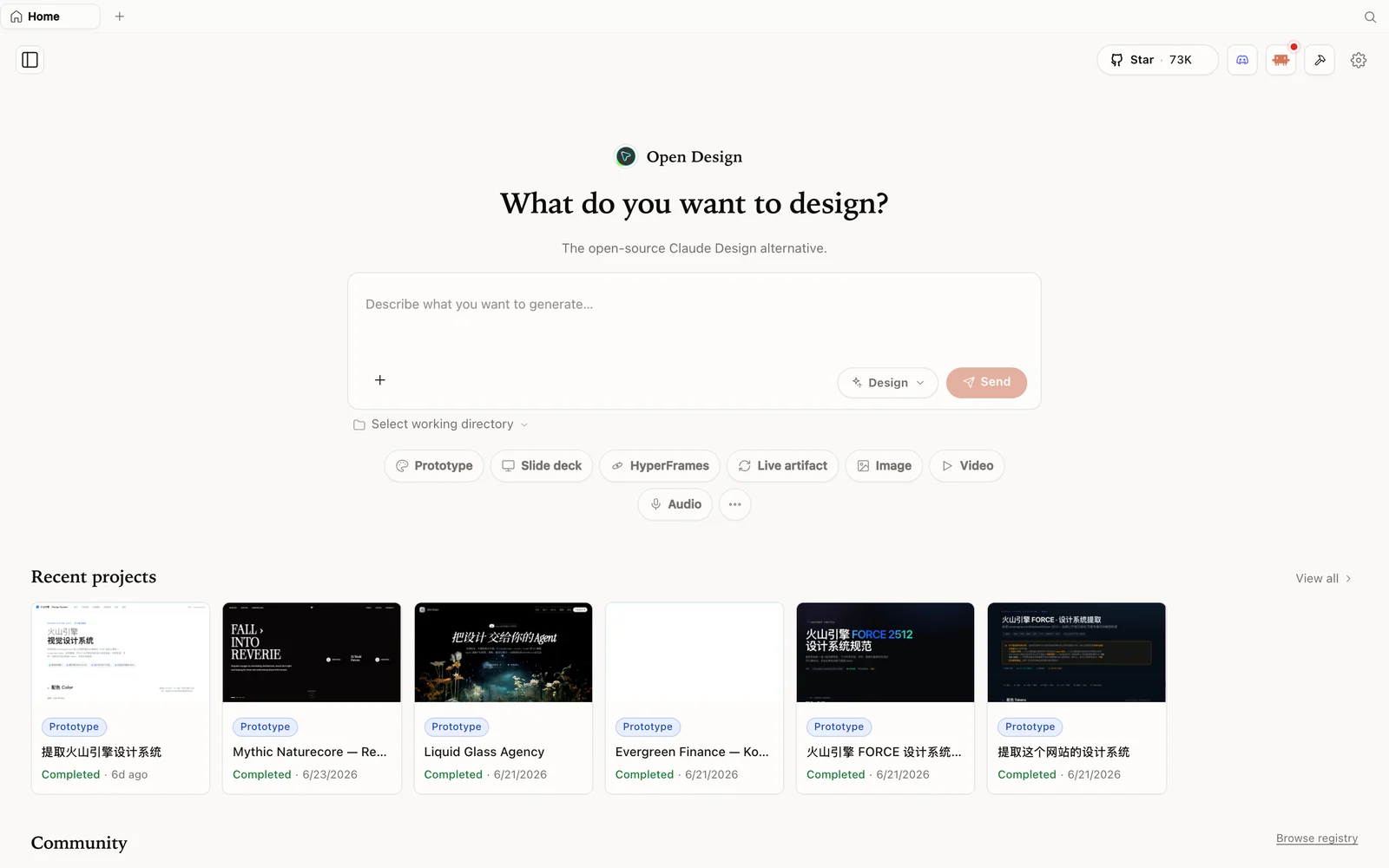 The OpenDesign workspace: describe what you want to build, pick a mode, and your agent does the rest.
What is OpenDesign?
OpenDesign is an open-source, local-first design platform that runs on top of the coding agent you already use. It doesn’t ship its own model — it scans your machine for the supported CLIs you already have (Claude Code, Codex, Cursor, Copilot, OpenCode, Qwen, and a couple of dozen more) and uses that agent as the design engine. So the work runs on the subscription or free credits you already have, not a second design bill.
- Open source, Apache-2.0 — clone it, self-host it, read every line.
- Runs locally — your projects are folders on your own machine.
- Bring your own engine — any supported CLI, or your own API key.
- A deep library of design systems and skills built in, so you don’t start from a blank canvas.
- More than prototypes — prototypes, slide decks, image generation, and video.
The key idea: the model is the quality knob
Here’s the mental model Codedigipt lands on, and it’s the most useful thing to internalize: OpenDesign’s output quality tracks the model you choose. OpenDesign supplies the structure — skills, design systems, the discovery flow — but the actual design judgement comes from the engine. Run it on a fast, cheap model and you get a fast, cheap draft; run it on a top-tier model and you get a far more polished result from the same prompt and design system.
That’s a feature, not a limitation. It means you can dial cost against quality per project, and swap engines whenever you like.
Step 1 — Install OpenDesign
Three ways in:
| Path | Best for | Requirements |
|---|---|---|
| Desktop app | Most people — zero config | None. Just download and open. |
| Run from source | Developers who want to read or modify the code | Node ~24, pnpm 10.33.x |
| Install into your agent | People who live in the terminal | An existing coding-agent CLI |
The fastest path is the desktop app from open-design.ai/download — it auto-detects your installed agent CLIs. To run from source (Codedigipt’s route):
git clone https://github.com/nexu-io/open-design.git
cd open-design
corepack enable && pnpm install
pnpm tools-dev run web
Open the local URL it prints — it resolves a dynamic port, so don’t hardcode one. One gotcha Codedigipt flags from experience: you need Node 24. On Node 22 it wouldn’t start for him; install the Node 24 LTS first. Corepack selects the pinned pnpm version.
Step 2 — Choose your engine
This is the step that matters. Open the settings (configure execution mode) and pick the agent that will drive generation from the CLIs OpenDesign detected on your machine. Anything not installed shows as disabled.
- Google Gemini through BYOK — Codedigipt’s recording used the now-retired direct Gemini CLI runtime. In current releases, configure Google Gemini as a BYOK provider (executed through the isolated OpenCode adapter) to use Gemini models and their provider-side allowance.
- Claude Code — point it at a design-capable model (Sonnet or Opus) for the highest-fidelity output.
- OpenCode — ships with capable default models (e.g. MiniMax, GLM) if you’d rather not configure anything.
- Anthropic API (BYOK) — no CLI? Drop in an API key and pick the model directly. This lets you use Claude-quality output without a separate Claude Design subscription — you bring the key, OpenDesign brings the design surface.
Step 3 — Generate, then judge by engine
Create a project, give it a name, choose high fidelity, and write your brief (Codedigipt builds a landing page for an “auth-as-a-service” API). Before it writes anything, OpenDesign returns a short discovery form — output format, primary surface, audience, visual tone, brand direction — so the agent locks the right direction instead of guessing. Answer it, pick a visual direction, and it builds.
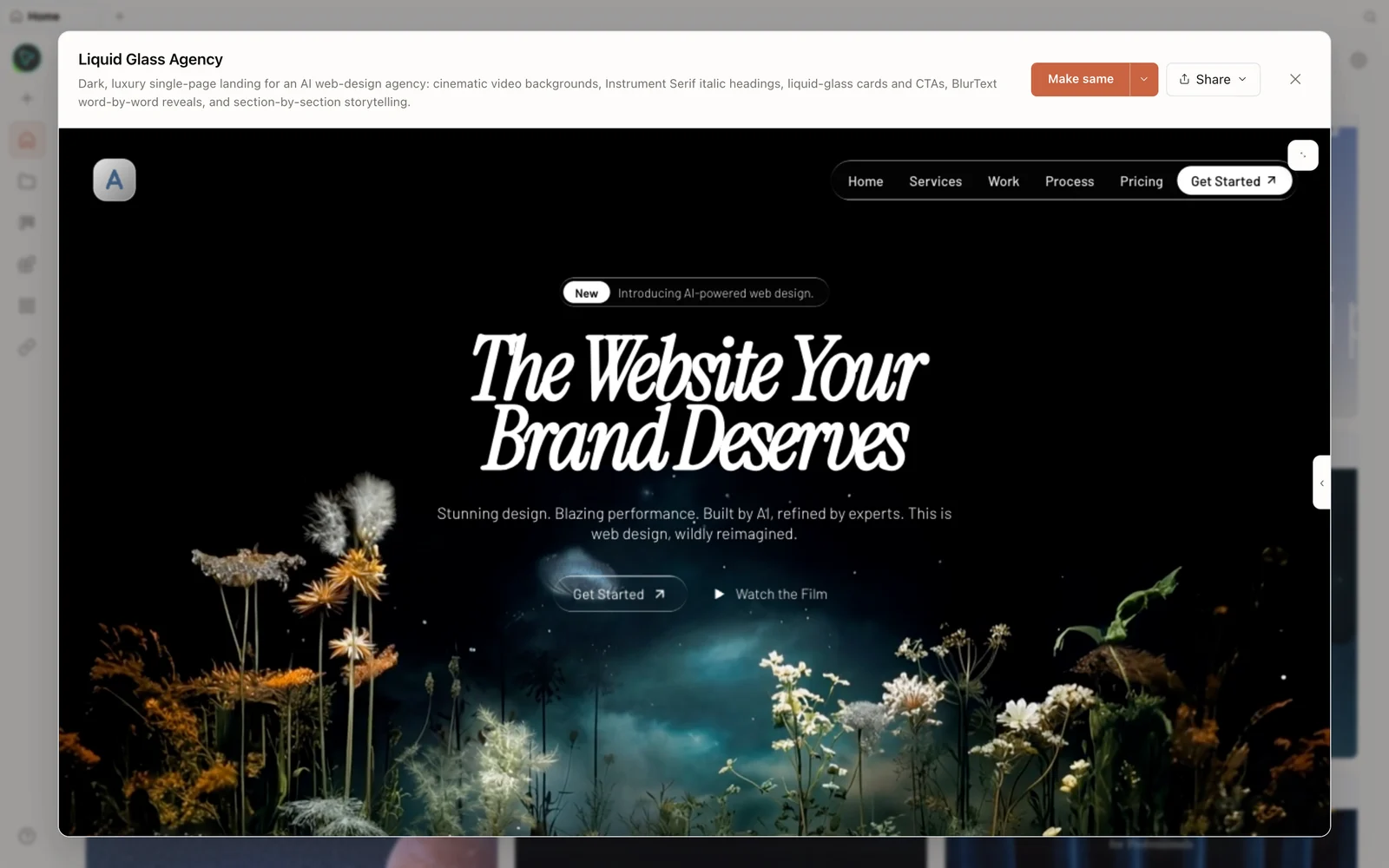 A real generated prototype rendered in the preview — a dark, cinematic agency landing page.
The result on a fast model (Codedigipt uses a Gemini flash preview) is a clean, usable first pass in seconds. The honest caveat he repeats: you get output at the level of the model you chose. Want Opus-grade polish? Switch the engine to Claude on Opus and rerun the same brief — same skill, same design system, sharper result.
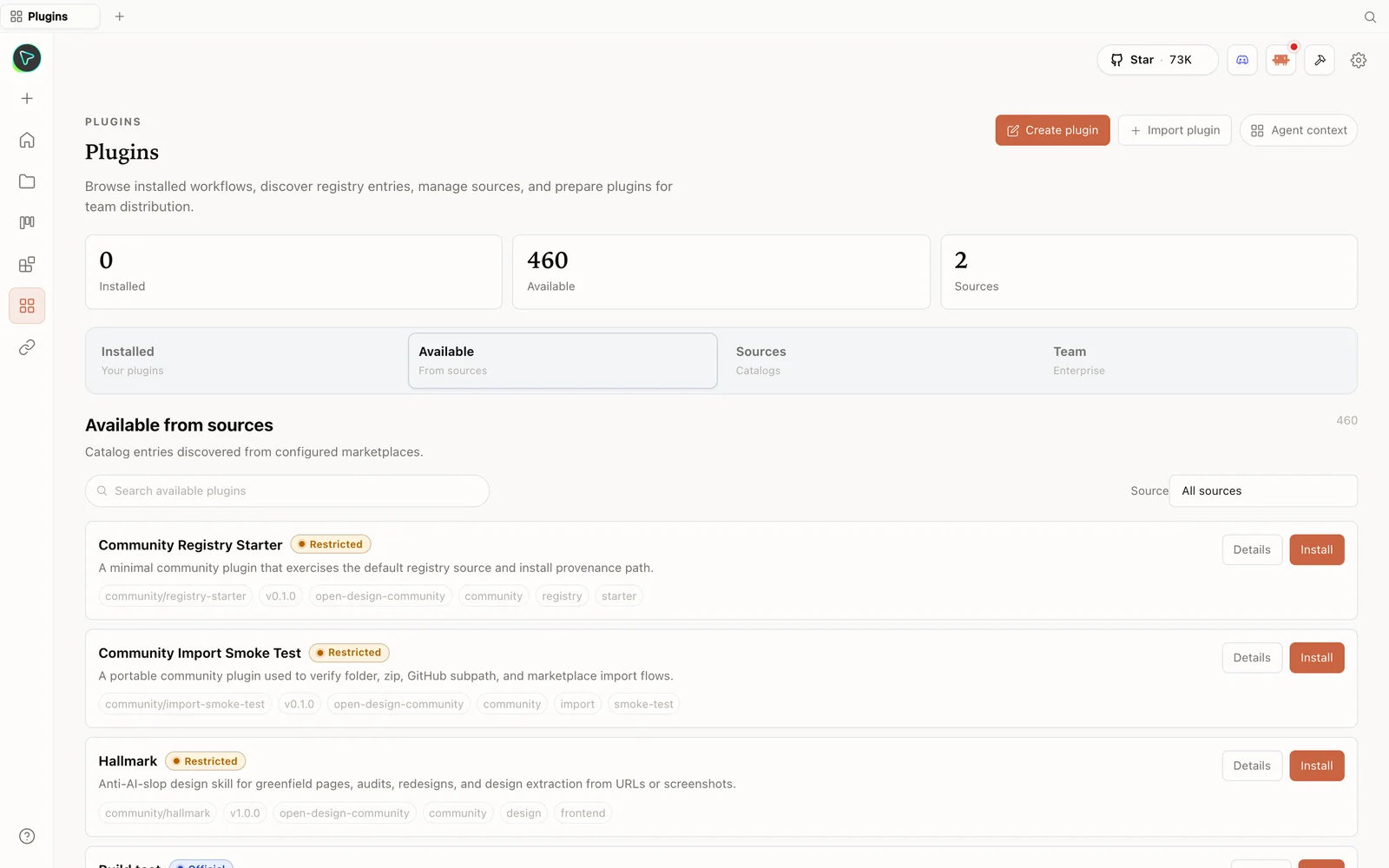 The plugin library: install skills straight from the registry — including anti-slop design skills.
When you’re happy, the Share menu exports to PDF, PPTX, standalone HTML, or a ZIP — or deploys straight to Vercel. You can browse the full plugin library at open-design.ai/plugins.
Tips
- Match the model to the job. Cheap/fast model for quick drafts and iteration; top-tier model for the final, client-facing pass.
- Use a local CLI so generation rides on a subscription or free credits you already have.
- BYOK for Claude-quality without a Claude Design plan — drop an Anthropic key into settings and select the model.
- Don’t blame the tool for a weak model. A good design system can’t rescue a weak engine; if output looks thin, upgrade the model before rewriting the prompt.
- Answer the discovery form fully — it’s how the engine locks direction on the first try.
FAQ
Does the model I pick really change the output that much? Yes — it’s the biggest lever. OpenDesign provides the skills and design systems, but the design judgement comes from the engine. The same brief on Opus vs a fast preview model produces noticeably different polish.
Can I use Claude-level quality without paying for Claude Design? Yes. Point OpenDesign at Claude Code, or drop an Anthropic API key into settings (BYOK) and select the model. You get the output without a separate Claude Design subscription.
Can I switch models mid-project? Yes — change the agent/model in settings and rerun. Same skill and design system, different engine behind it.
Is it free? The app is open source under Apache-2.0 and free to run locally. You only pay for the model/credits of whichever agent you connect.
This written guide is based on Codedigipt’s hands-on walkthrough. Watch the full video above, and subscribe to Codedigipt for more practical AI-tool setups.