

Five End-to-End Workflows You Can Build by Chaining OpenDesign Skills
Beyond single features — five real, end-to-end creative pipelines you can run in OpenDesign by chaining skills, design systems, and the media pipeline in one session: a pitch package, a marketing campaign, a mobile app + dev handoff, a content series, and a full design-system rollout. Based on Panda Making Money's breakdown.
Most walkthroughs show you one feature at a time. This guide is about what OpenDesign becomes when you chain its features into full, end-to-end pipelines — five real workflows that each produce a cohesive set of deliverables in a single session. It follows the breakdown Panda Making Money gives in his video, rewritten and brought up to date with the current release. Watch the video above for the full picture, or read on for the written version.
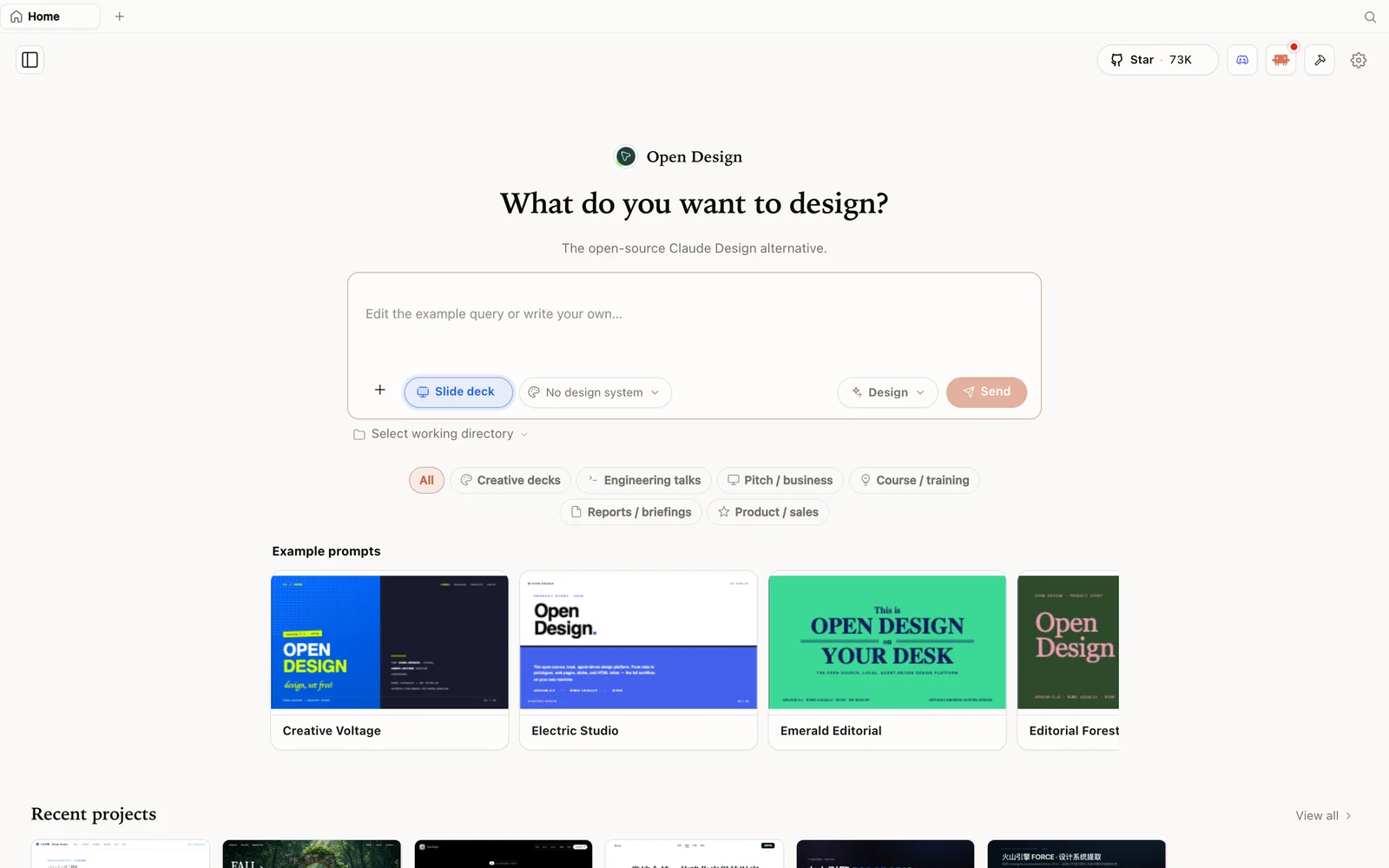 Slide-deck mode: choose a deck category and fork an example as your starting point.
What makes the chaining possible
OpenDesign is an open-source, local-first design platform that runs on top of the coding agent you already use (Claude Code, Codex, Cursor, Gemini, OpenCode, and more). Three design choices are what let you string features into real pipelines:
- Skills are files, not plugins — each gives the agent rules for a surface (landing page, dashboard, deck, mobile app…). Drop a folder, restart, it works.
- Design systems are portable
DESIGN.md— a brand defined once on disk and applied consistently across every artifact in a session. - A real working directory — the agent reads/writes actual files, generates media, and emits PPTX / HTML / ZIP / MP4 you can download.
Add the discovery form (questions up front), the visual-direction picker, and the self-critique pass before output renders, and the agent behaves less like a chat box and more like a designer working through a brief. That’s the foundation every workflow below builds on.
Workflow 1 — Product pitch & go-to-market package
A founder needs more than a deck — they need assets that all feel like one brand. Fill the discovery form, pick a visual direction, and the agent builds your DESIGN.md brand system, runs the deck skill for the pitch, the prototype skill for an interactive demo page, and the media pipeline for supporting imagery — all in the same visual language. Export a PPTX for the pitch, an HTML prototype for the product page, and an MP4 teaser for social. One session, one brand, one story.
Workflow 2 — End-to-end marketing campaign
Establish the brand in DESIGN.md, then run skills in sequence: an email template for the campaign, a SaaS landing page for the destination, and social assets for promotion, with the media pipeline generating matching images and clips. Device frames show mobile and desktop, the agent generates A/B variants, and the visual direction stays consistent across every touchpoint. Export a ZIP with the full campaign handoff — no switching between six tools.
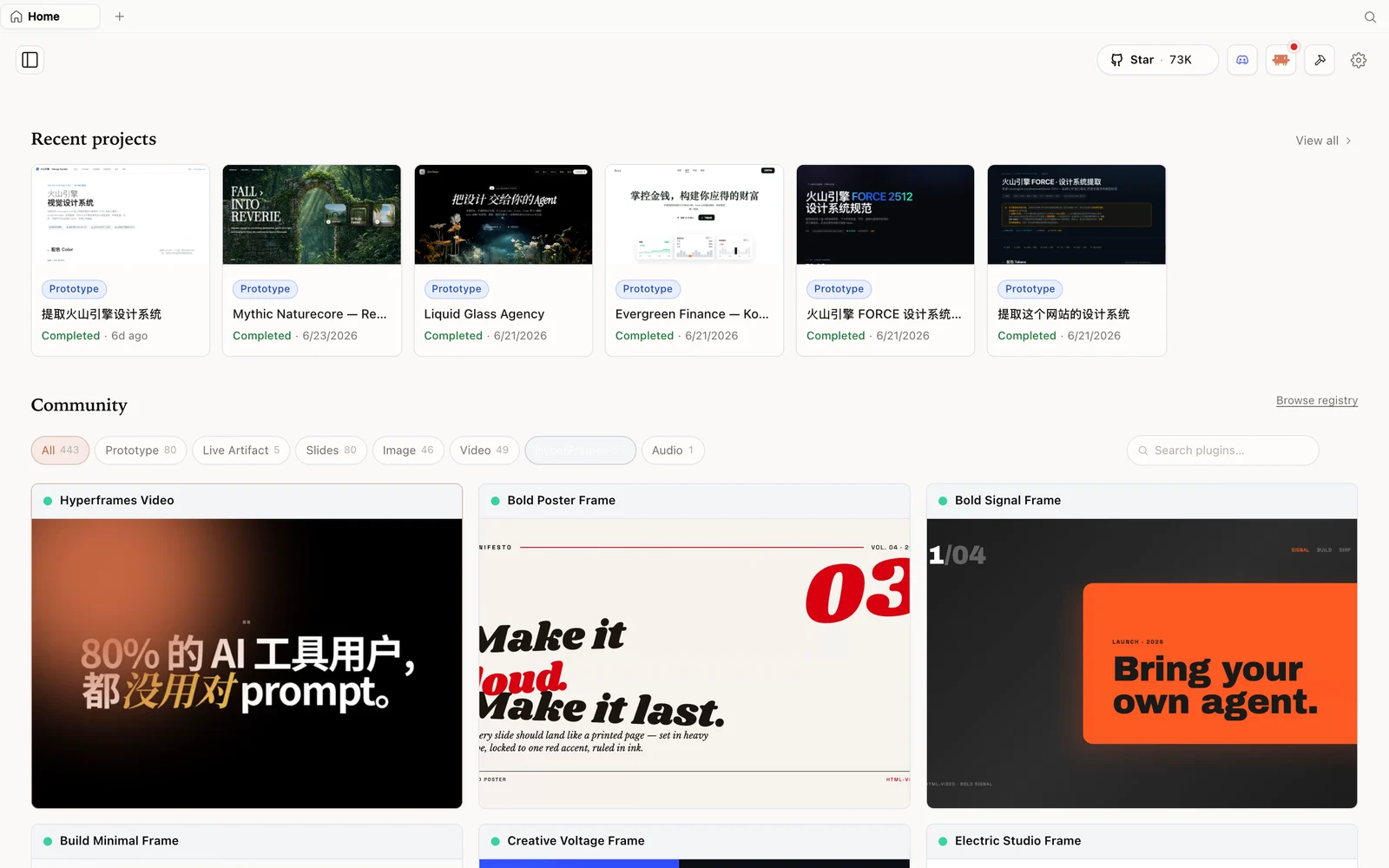 The HyperFrames gallery: code-driven motion and video pieces you can fork and remix.
Workflow 3 — Mobile app prototype + developer handoff
Choose the mobile-app skill, apply a DESIGN.md, and describe the feature. The discovery form captures the interaction flow, then the agent builds a device-framed iOS/Android prototype with a live to-do plan streaming in the UI. Interact with it in the sandbox preview, iterate conversationally, and export clean HTML in a ZIP to hand to a developer (or import the ZIP back into Claude Design to continue). A tight loop from idea to handoff.
Workflow 4 — Content series & webinar assets
Set up a persistent project (backed by the local SQLite store, so the agent remembers where you left off). Use the slide skill for each episode’s deck, the docs-page skill for companion writing, and the media pipeline for thumbnails and promo clips. Here the multi-agent angle shines: use one agent for structuring content and another for visual generation, all in the same session — with the visual direction locked in DESIGN.md so every episode stays on-brand.
Workflow 5 — Brand design-system creation & rollout
The most strategic one. The agent runs the brand-asset protocol — locating your brand colours, extracting hex values, and writing a complete brand spec — then builds a full DESIGN.md covering typography, palette, spacing, components, mood, and motion. Once it lives on disk, every future session references it: a web prototype today, a deck tomorrow, a docs page after that. Consistency is enforced at the file level, and the system is portable — commit it, share it, or contribute it back.
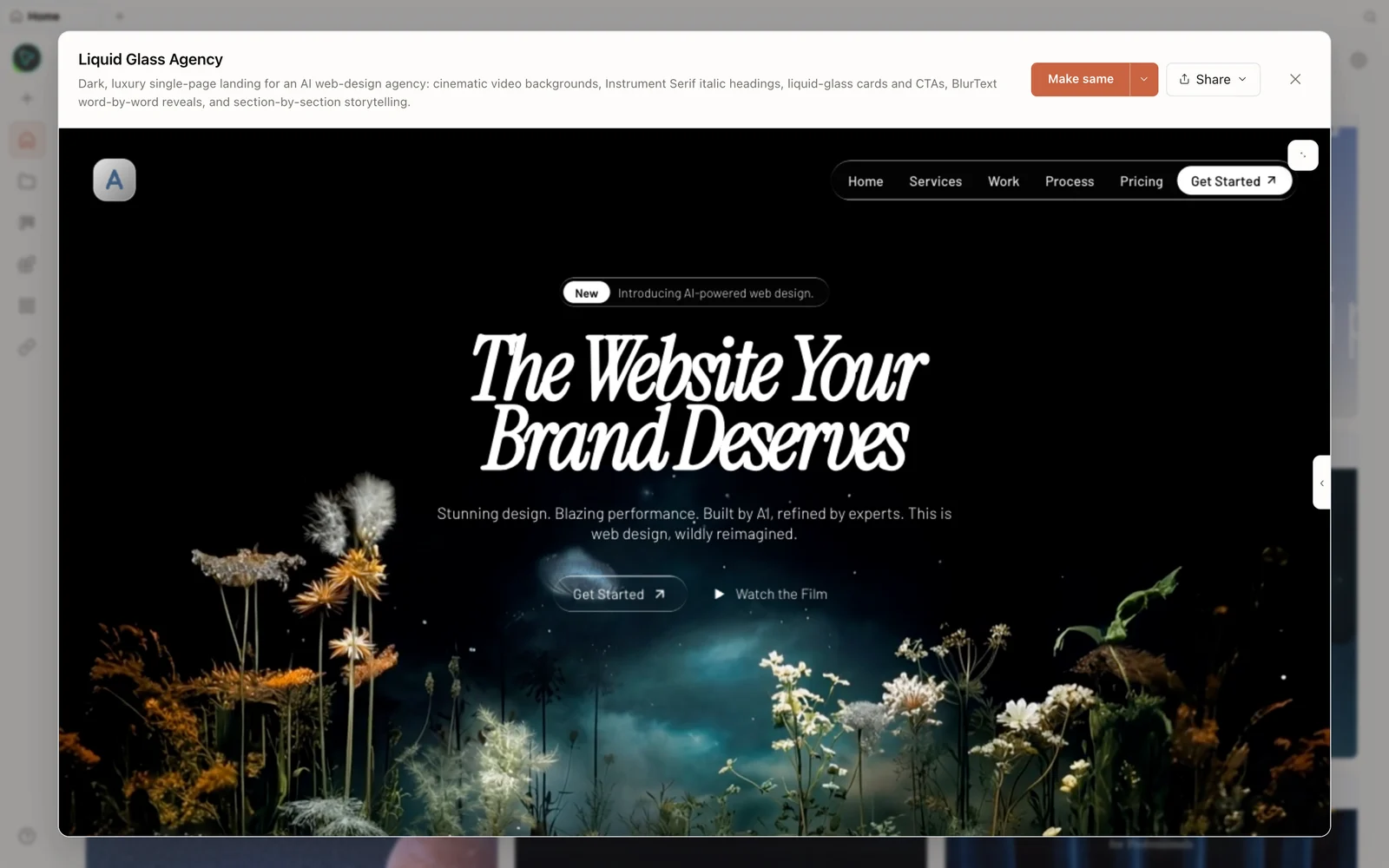 A real generated prototype rendered in the preview — a dark, cinematic agency landing page.
When to reach for this (vs a hosted tool)
Panda’s honest framing: a polished hosted tool wins on out-of-the-box polish, team collaboration, and zero setup. OpenDesign wins when you want to own the stack — your model, your data local, your skills and brand systems versioned in git — and when you want to chain steps into pipelines that would otherwise span six tools. They’re not mutually exclusive; you can draft fast in a hosted tool and bring the ZIP into OpenDesign for the longer, owned, iterative work.
Tips
- Define
DESIGN.mdfirst — it’s what keeps every artifact in a pipeline on-brand. - Run skills in sequence in one session instead of starting fresh each time.
- Use persistent projects for multi-session work; the agent resumes where you left off.
- Mix agents — let one model structure, another generate visuals, in the same session.
- Export per format — PPTX for decks, HTML for prototypes, MP4 for social, ZIP for handoff.
FAQ
Can OpenDesign really produce a whole campaign in one session?
Yes — chain the relevant skills (email, landing page, social) against one DESIGN.md and the media pipeline; export the lot as a ZIP handoff.
How does it stay on-brand across many artifacts?
The brand lives in a portable DESIGN.md on disk; every session references the same file, so consistency is enforced at the file level, not by memory.
Can I hand the output to a developer? Yes — export clean HTML in a ZIP. You can also import a Claude Design ZIP to continue a project across tools.
Is it free? The app is open source under Apache-2.0 and free to run locally. You only pay for the model and media usage of whichever agent and providers you connect.
This written guide is based on Panda Making Money’s breakdown. Watch the full video above, and subscribe to Panda Making Money for more AI-tool deep dives.