
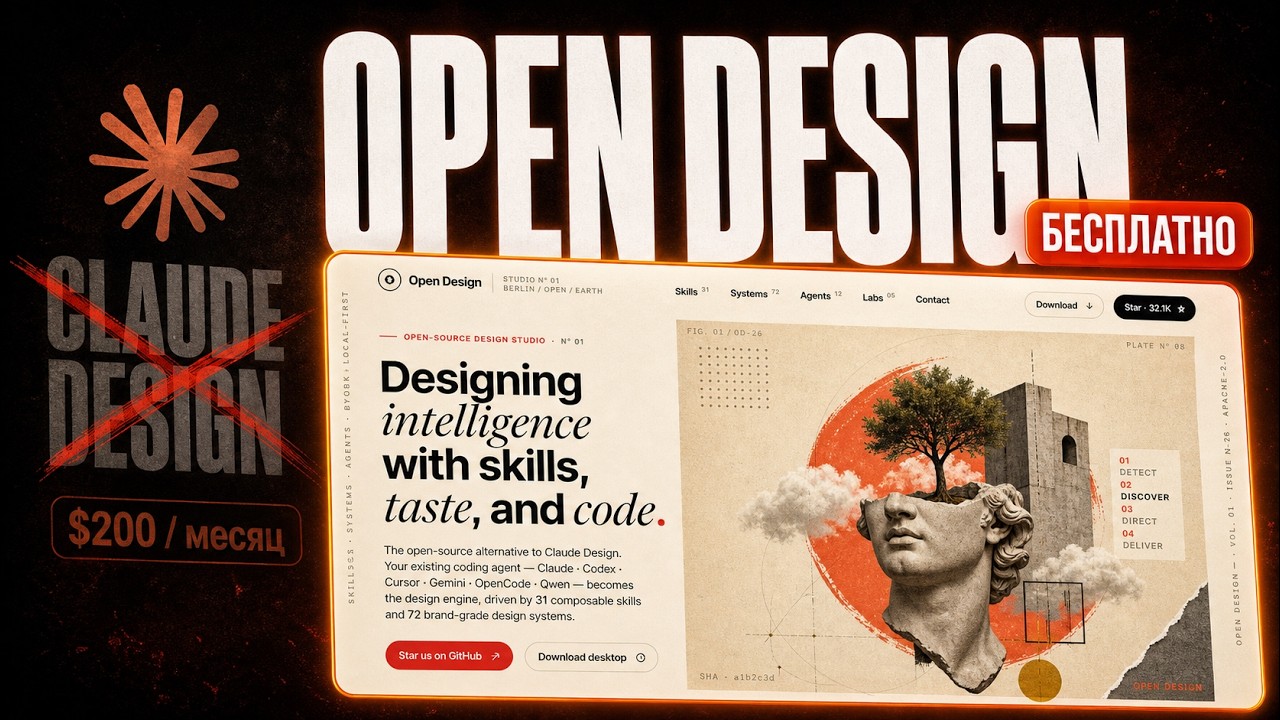
OpenDesign — An Honest First Look (Bugs, Fixes, and Any-Model Setup)
A warts-and-all first look at OpenDesign — install it, configure any agent, build a real prototype live (rough edges included), use the on-canvas edit/inspect/comment tools, and wire up any model cheaply through an OpenAI-compatible provider like OpenRouter. Based on Sasha (ИИШНЫЙ)'s hands-on review.
This guide is a deliberately honest first look at OpenDesign — the parts that just work, and the rough edges you’ll hit, shown live rather than edited out. It also covers a genuinely useful trick: wiring up any model cheaply through an OpenAI-compatible provider. It follows the hands-on review Sasha (ИИШНЫЙ) records in his walkthrough, rewritten in English and brought up to date with the current release. Watch the video above for the live run, or read on for the written version.
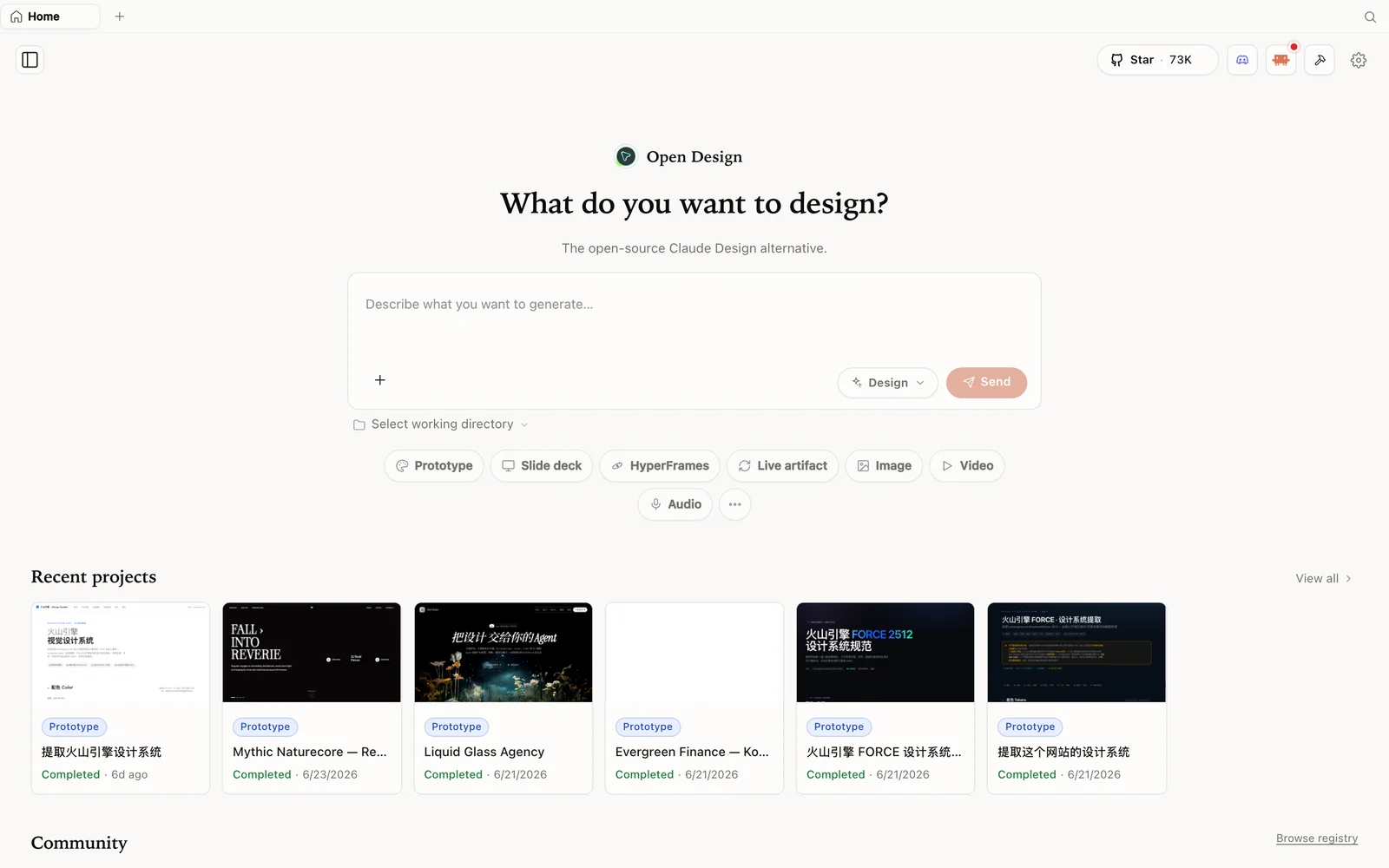 The OpenDesign workspace: describe what you want to build, pick a mode, and your agent does the rest.
What is OpenDesign?
OpenDesign is an open-source, local-first design platform — an agent-native alternative to Claude Design. The “AI purple slop” problem (every generated UI looking the same) is exactly what tools like this try to solve, and OpenDesign’s answer is to run on top of the coding agent you already use rather than ship its own model. It detects Claude Code, Codex, Cursor, OpenCode, Qwen, and more on your machine and uses that as the engine. Sasha’s framing: it collected tens of thousands of GitHub stars in its first week because it’s free, open, and not locked to one provider.
- Open source, Apache-2.0 — clone it, read it, self-host it.
- Runs locally — your projects are folders on your own machine.
- Any agent, any model — including your own API key via any OpenAI-compatible provider.
- A deep library of design skills and design systems built in.
- More than prototypes — slide decks, images, even video.
Step 1 — Install and configure
git clone https://github.com/nexu-io/open-design.git
cd open-design
corepack enable && pnpm install
pnpm tools-dev run web
Open the local URL it prints (a dynamic port — don’t hardcode one). Prefer zero setup? Grab the desktop app from open-design.ai/download. On first launch the settings page detects the agent CLIs on your machine — Sasha uses Codex — and lets you set a default model, add media providers (MiniMax, OpenAI GPT Image, and more), connect data sources, switch language, and pick a theme.
Step 2 — Use any model via an OpenAI-compatible provider
This is the most useful nugget in Sasha’s review. Beyond the detected CLIs, OpenDesign lets you bring your own key for any OpenAI-compatible API — which means you can route through an aggregator like OpenRouter and use almost any model, often more cheaply:
- In your provider, create an API key and copy it.
- In OpenDesign settings, choose the OpenAI provider type (OpenRouter and similar aggregators speak the OpenAI API).
- Paste the key, and crucially change the base URL to your provider’s endpoint (e.g. the OpenRouter base URL), then pick the model you want.
- Save — generation now routes through that provider.
One gotcha Sasha hits: the model selection switches globally, not per-project, so if media generation breaks after you switch, it’s because the image provider followed the model switch. Set your media provider keys explicitly.
Step 3 — Build a prototype (rough edges and all)
Create a project, write your brief, choose high fidelity, and send. OpenDesign runs a discovery form first — it adapts the questions to your prompt (target platform, who it’s for, tone, animation, constraints), then a visual-direction picker (typography + palette), then builds. The output is a live, interactive prototype with built-in controls — Sasha’s generated app lets you toggle animations and swap the accent colour right on the page.
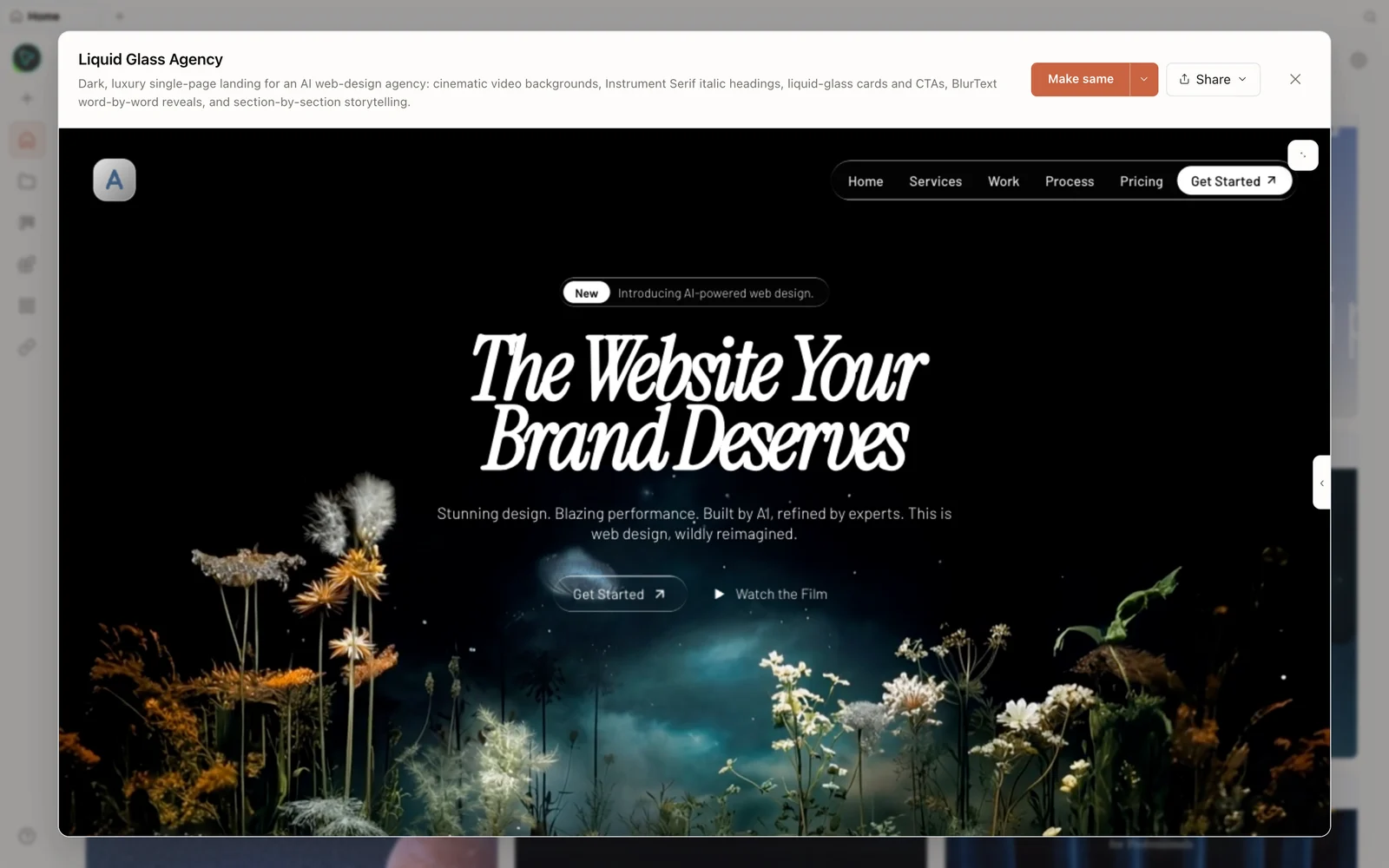 A real generated prototype rendered in the preview — a dark, cinematic agency landing page.
Honest caveats Sasha shows on camera (and how to handle them):
- It may default to the wrong skill. If it starts building a “checkpoint/blog” when you wanted a mobile app, tell it explicitly: “use the mobile-app / front-end skill.” Set the skill before you generate.
- Inspect needs
data-oidtags. The on-canvas Inspect tool needs the artifact tagged; if it says it can’t select elements, ask the agent to “rebuild the prototype with data-oid tags,” then reload. - It’s young and ships fast. Expect occasional glitches (navigation disappearing after an edit, etc.) — the project updates almost daily, so re-pull often.
Step 4 — The on-canvas tools (the real draw)
Once tagged, the editing loop is the standout. Inspect lets you hover any element and tweak colour, size, and style directly. Edit lets you rewrite text inline (no round-trip to the chat for a one-word change). Comment/picker lets you select an area, draw, and send a note to the agent (“make this menu a scrolling carousel with a progress bar”). It’s the fast, visual feedback loop that’s awkward to reproduce with a plain agent in a terminal.
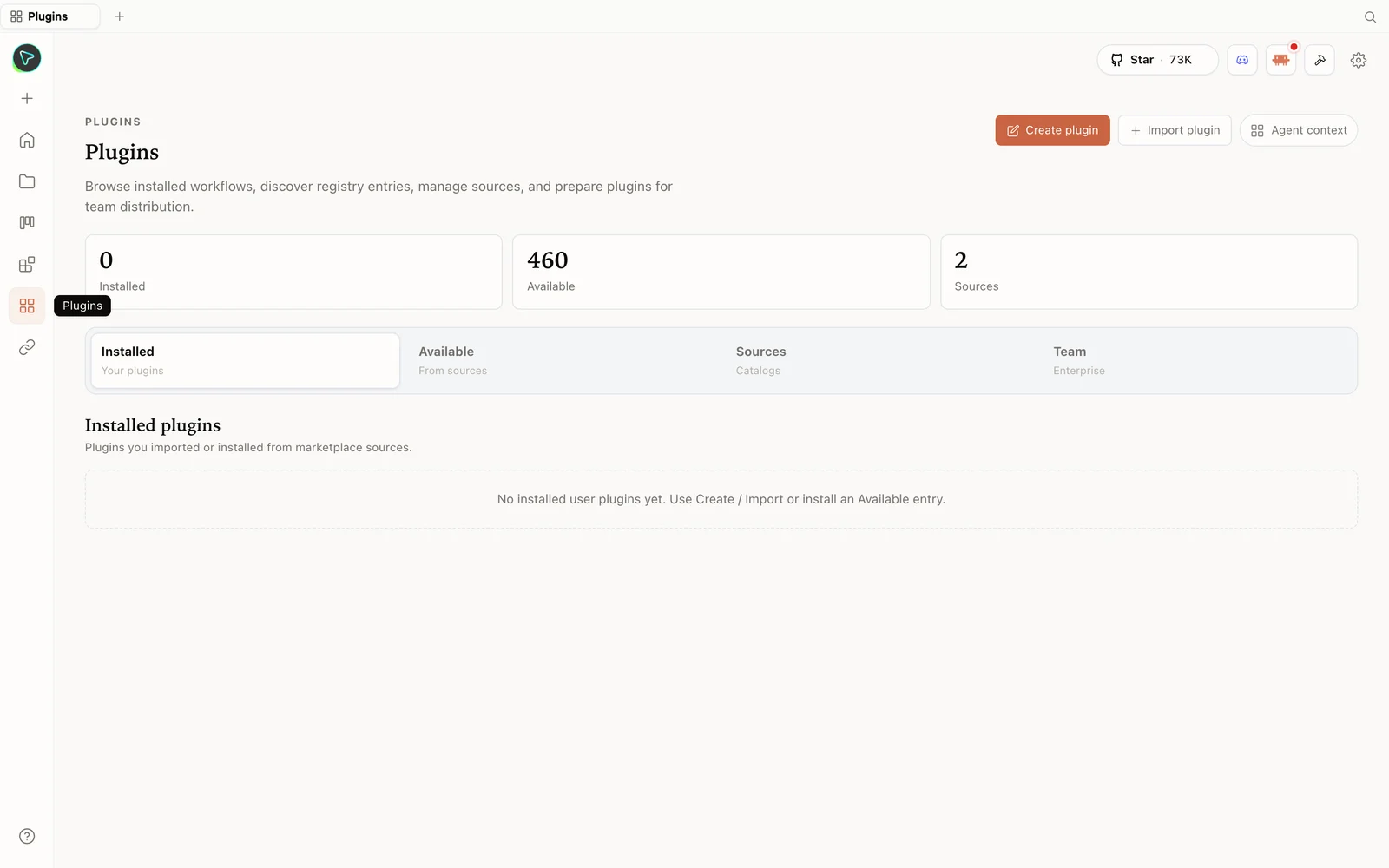 The plugins hub: browse the registry, import plugins, and prepare them for your team.
When you’re done, Share exports to PDF, PPTX, standalone HTML, or markdown — or deploys to Vercel in one click. Sasha’s honest verdict: for presentations and lead-magnet pages it’s already a convenient mini-builder; for complex app/site prototyping expect to do real iteration. Given it’s only a week old and updating constantly, the foundation is strong.
Tips
- Wire up OpenRouter (or any OpenAI-compatible provider) to use cheaper or different models — remember to change the base URL.
- Set the skill explicitly before generating so it doesn’t default to the wrong template.
- Ask for
data-oidtags if Inspect can’t select elements, then reload. - Lean on Inspect/Edit/Comment for fast visual tweaks instead of re-prompting in chat.
- Re-pull often — the project ships fixes almost daily.
FAQ
Can I use a model other than Claude — and pay less? Yes. Point OpenDesign at any detected CLI, or bring your own key for any OpenAI-compatible provider (e.g. OpenRouter) by setting the key and base URL — that opens up almost any model.
Inspect/edit isn’t selecting elements — why?
The artifact needs data-oid tags. Ask the agent to rebuild the prototype with them, then reload the preview.
Is it production-ready? It’s early and iterating fast. It’s already great for decks and lead-magnet pages; for complex apps, treat the output as a strong draft you refine.
Is it free? The app is open source under Apache-2.0 and free to run locally. You only pay for the model and media usage of whichever agent and provider you connect.
This written guide is based on Sasha (ИИШНЫЙ)‘s hands-on review. Watch the full video above, and subscribe to ИИШНЫЙ for more honest, unedited AI-tool tests.